Selling atta, rice, daal and sugar by weight or by rupees
Half a kilo of daal, a pao of haldi, Rs 100 of sugar, a whole bag of atta. How a cashier bills loose goods by weight or by the rupee in MartPOS, why Rs 50 of sugar can come to Rs 50.08, and what the till checks on every line.
At a kiryana or grocery counter, loose goods are asked for in three ways. "Aadha kilo daal" is a weight. "Sau rupay ki cheeni", Rs 100 of sugar, is an amount of money. "Ek bori atta" is a whole bag. A till that only understands pieces makes the cashier work each of these out on a calculator, and every sum done in a hurry is a chance to give away a few grams or to overcharge a regular. This guide shows how each one is billed in MartPOS, what the numbers on the bill mean, and what the till checks before the bill is saved.
First, set the item up as loose
An item sold from the sack is marked Sold loose, by weight or measure in Catalog. Its stock is then kept in kilograms (or litres) with up to three decimals, so 0.625 kg is a real quantity, and its retail price is the price of one kilogram. If you chose Kiryana as the shop's business type, new items start as sold loose already. A bag the distributor delivers, such as a Bag of 50 kg, is a pack of the same item with its own price and barcode, so selling a bag and selling 2.5 kg loose both come out of one stock figure. The set-up is explained in selling loose and packed goods from one stock figure and in units, packs, prices and barcodes.
By weight: weigh, then type the weight
- Scan or search the item. It goes on the bill as 1 kg.
- Weigh the goods.
- Type the weight in the line's Qty and press Enter.
The weights customers ask for most, as the cashier types them:
| The customer asks for | Type |
|---|---|
| Ek pao (a quarter kilo) | 0.25 |
| Aadha kilo | 0.5 |
| Teen pao | 0.75 |
| Sawa kilo | 1.25 |
| Dedh kilo | 1.5 |
| Dhai kilo | 2.5 |
| 625 grams | 0.625 |
The Amount is the weight times the price per kilo: 0.75 kg of daal at Rs 320 a kg comes to Rs 240.00. An item that is not sold loose, a packet of biscuits or a bar of soap, refuses a fraction, so nobody sells half a packet by mistake.
For the most common weights there is a shortcut. While the bill has a loose item, the till shows a row of Quick weight buttons, 100 g, 250 g, 500 g and 1 kg: select the loose line and tap the weight. A quick weight is an ordinary typed weight, so it can still be changed in Qty.
By rupees: "Rs 100 of sugar"
When a customer names an amount instead of a weight:
- Put the sugar on the bill and keep its line selected.
- Press F6 (Rs worth) and type 100 in Customer asks for.
- Choose Add to the bill. The store PC works out the weight at that line's own price, to the gram, and the line shows it.
- Weigh out the weight the line shows.
At Rs 160 a kilo, Rs 100 buys exactly 0.625 kg. Rs 50 buys 0.3125 kg, which is 0.313 kg to the gram, and 0.313 kg costs Rs 50.08, so the line reads 0.313 kg for Rs 50 → Rs 50.08.
Why Rs 50.08 and not Rs 50?
Because the bill is always for the weight that leaves the sack. MartPOS rounds the weight to the nearest gram, never the price per kilo, so stock and money agree to the gram. The difference is a few paisa, and it can go either way. If the shop rounds bill totals to the nearest rupee, the default under Counter & receipts, a bill with only that line is paid as Rs 50 and a Rounding line shows the 8 paisa. The amount is worked out before any discount or tax on the line.
A few rules worth knowing: F6 works only on a loose item; it always sells in the item's base unit, so a line on a bag switches back to kg; and an amount that would buy less than one gram is refused. Press F6 again on the same line to change the amount, or type a weight in Qty to replace it. The Customer asks for Rs box beside the quick-weight buttons does the same as F6: type the rupees and press Enter.
A whole bag, at the bag's price
When a hotel or another shopkeeper takes a full bag, change the line's Unit to the bag, or scan the bag's own barcode. The line is billed at the bag's own price, which need not be 50 times the kilo price, and 50 kg leave the stock. A customer set to wholesale prices, or a bill switched to wholesale at the till, gets the bag's wholesale price. A quantity break can also lower the price per kilo from a quantity: loose rice at Rs 340 a kg, but Rs 325 a kg from 10 kg. See price lists, quantity breaks and promotions.
Shopkeepers who buy bags and cartons every week can be put on a price list of their own, with a price for the bag and a discount off a brand or a category, so the till charges them the same way every time. For goods you pack yourself in fixed sizes, such as 1 kg packets of daal, see barcodes for loose items.
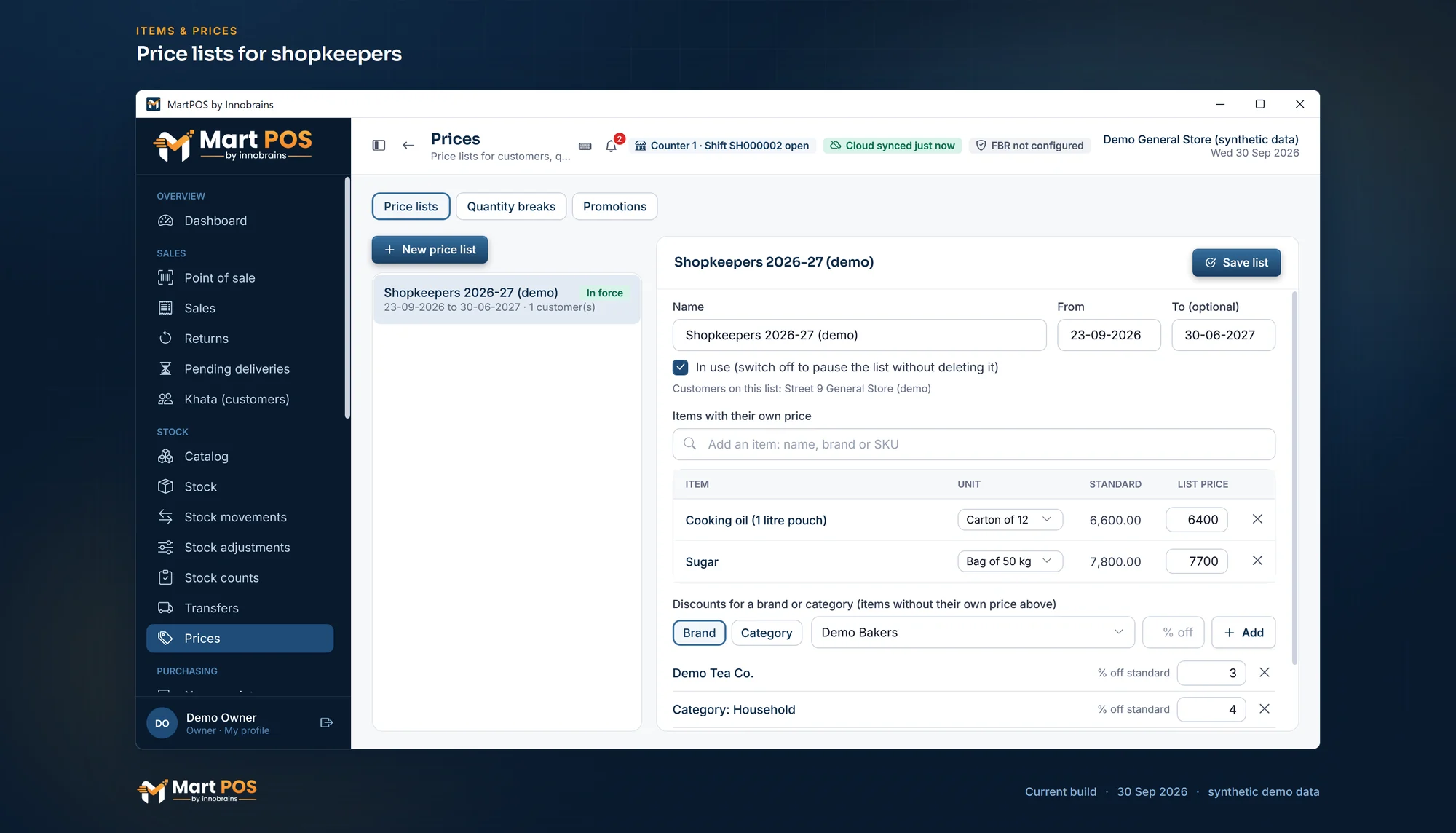
Price lists for shopkeepers. A customer's own prices for bags and cartons, and discounts by brand or category, for shops that buy in bulk. Screenshot of the current build (30 Sep 2026), synthetic demo data.
What the till checks
- Stock. A line that asks for more than is on the shelf shows Only 2.5 in stock before payment, and the bill is refused if it still asks for more. Loose stock never goes below zero.
- Price source. Each line says where its price came from: the list price, a wholesale price, a quantity price, a price list or a promotion.
- Who changed what. A price typed over by hand needs the price-override permission, and every bill records who made it.
Common questions
Can the cashier sell "Rs 100 ki cheeni" without a calculator?
Yes. Press F6 on the sugar line and type 100. The store PC works out the weight to the gram at that line's price, and the line shows what to weigh out.
Why does the bill say Rs 50.08 for Rs 50 of sugar?
The weight is rounded to the nearest gram, and the bill is for that weight. At Rs 160 a kilo, 0.313 kg costs Rs 50.08. If the shop rounds totals to the nearest rupee, the customer still pays Rs 50 on a bill with only that line.
How do I sell a pao of haldi?
Type 0.25 in the line's quantity: a pao is a quarter of a kilo. Or sell it by rupees with F6 if the customer names an amount.
Can one bill have loose sugar and a sealed 1 kg packet of sugar?
Yes. If the sealed packet is its own item, or a pack of the loose item with its own barcode, scan it and it goes on its own line at its own price.
More: billing at the till, and everything MartPOS does for a kiryana store or a grocery store.
Founder & CEO, Innobrains Technologies
Arshad Ali is the founder and CEO of Innobrains Technologies, the company that is building MartPOS: point-of-sale, stock and khata software for kiryana stores, general stores and mini marts in Pakistan.
Run your shop on MartPOS
Barcode billing, loose goods and packs, khata and advances, on the shop's own PC without internet. We set it up on your shop PC with you.
Related guides
Landed cost for kiryana purchases: freight and loading in the price of a bag
A bag of sugar does not cost what the mandi bill says. The truck, the loaders and the toll are part of its cost, and if they are not counted, every kilo looks more profitable than it is. What landed cost is, two ways to share it, and how MartPOS adds it to a purchase.
04 Oct 2026 · 7 minExpiry dates in a grocery store, without writing a date on every pack
Packed milk, yoghurt, bread and biscuits go off; soap and matches do not. How a grocery or general store can keep track of dates only where they matter, find what to move before it expires, and deal with what has, with the way MartPOS does it and its limits.
30 Sep 2026 · 6 minBarcodes for loose items and the goods you pack yourself
Loose daal, rice and spices come without a maker's barcode, and so do the 1 kg packets you fill yourself. Two ways to make them scan at the till in MartPOS, which to use when, and why you should never make up an EAN-13 number.
30 Sep 2026 · 5 min