What MartPOS does today, from the counter to the books
Everything a kiryana store, general store or mini mart needs at the counter, on the shelf and in the books, with the owner portal for every branch.
Counter & sales
Fast, keyboard-first billing that a cashier learns in a day.
Keyboard-first till
Scan a barcode or search by name, brand, item code, Urdu name or another name customers ask for. Change quantity and unit from the keyboard.
A new pack at the till
Where the owner allows it, a barcode that matches nothing is added at the till (name, Urdu name, price, by the piece or loose by the kg) and goes straight on the bill; a cashier can have a manager approve it with their PIN. The item is marked for the back office to review.
Loose goods by amount
"Rs 100 of sugar": press F6 (Rs worth) and type the amount. The store PC works out the weight to the gram at that line's price and shows it: Rs 50 at Rs 160 a kg is 0.313 kg, billed Rs 50.08.
Every way to pay
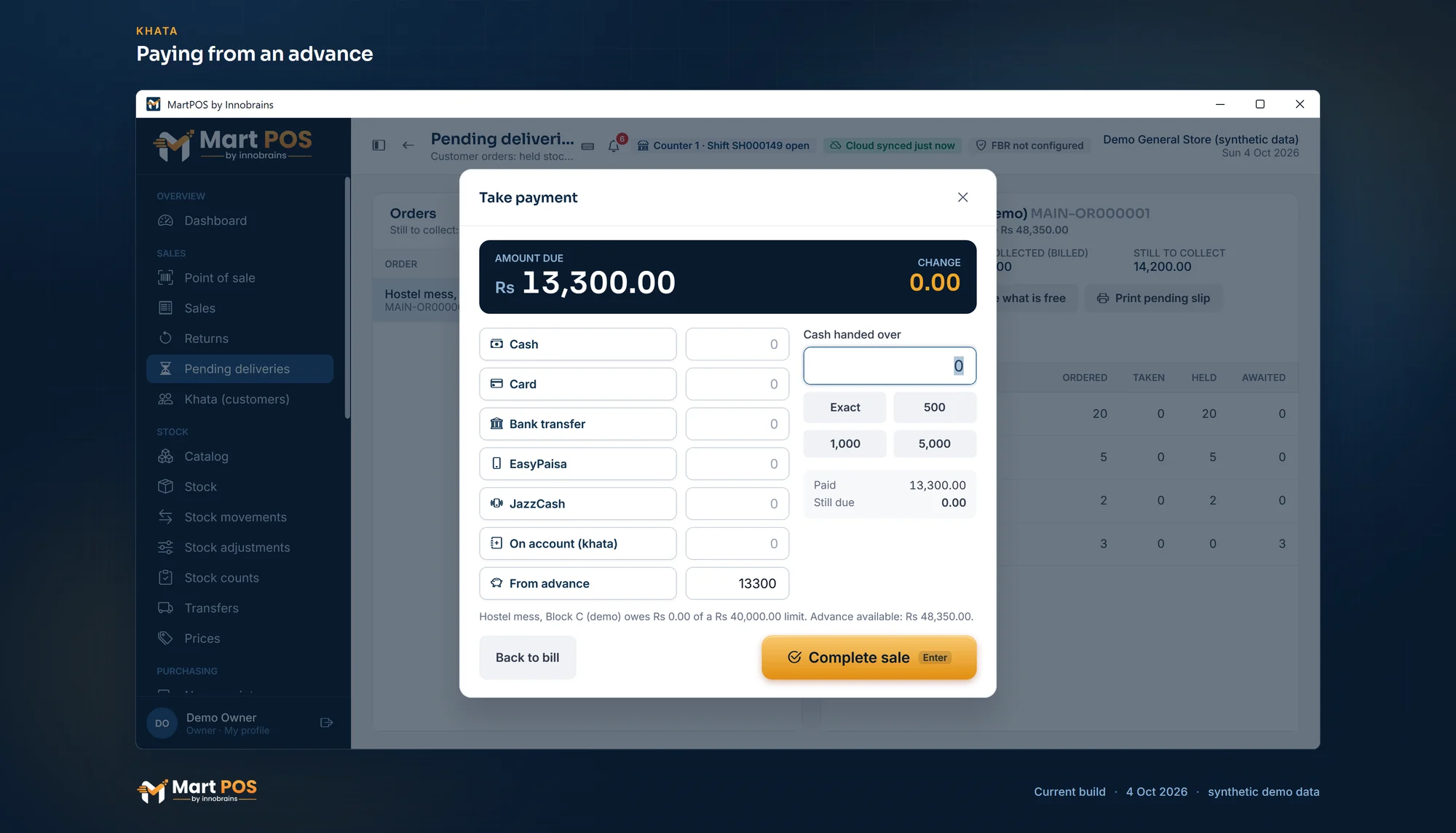
Split one bill across cash, card, bank transfer, EasyPaisa and JazzCash, on khata within the customer's credit limit, or from their advance. Change is worked out.
Discounts with limits
A line discount above the shop's limit (10% unless you change it), or above the limit you set for a role, needs someone whose own limit covers it, such as a manager with their PIN. Selling below cost needs authorisation.
Bill numbers your way
Bills and counter returns numbered with your own pattern: text, the branch, the counter, the year or month and a running number, never repeated.
Returns against the bill
Part of a bill, in another unit if needed, back to stock or marked damaged, refunded the right way. Never more than was sold, even from two counters.
Held bills, crash-safe cart
Hold a bill with a name or note and pick it up later; it is kept on the store PC, so another counter can finish it if you allow that. A bill in progress survives a crash, and a retried sale can never post twice.
Orders for later
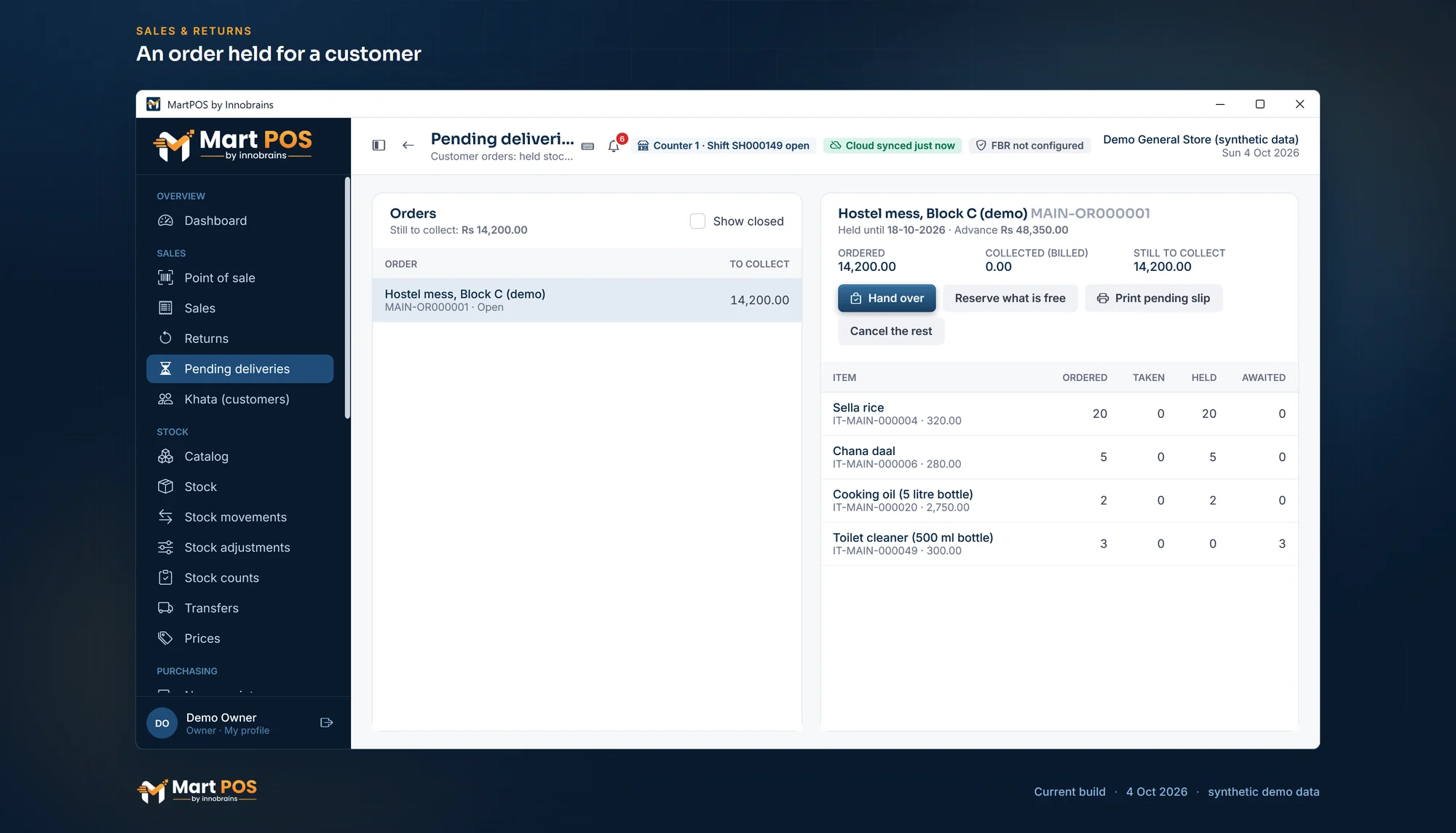
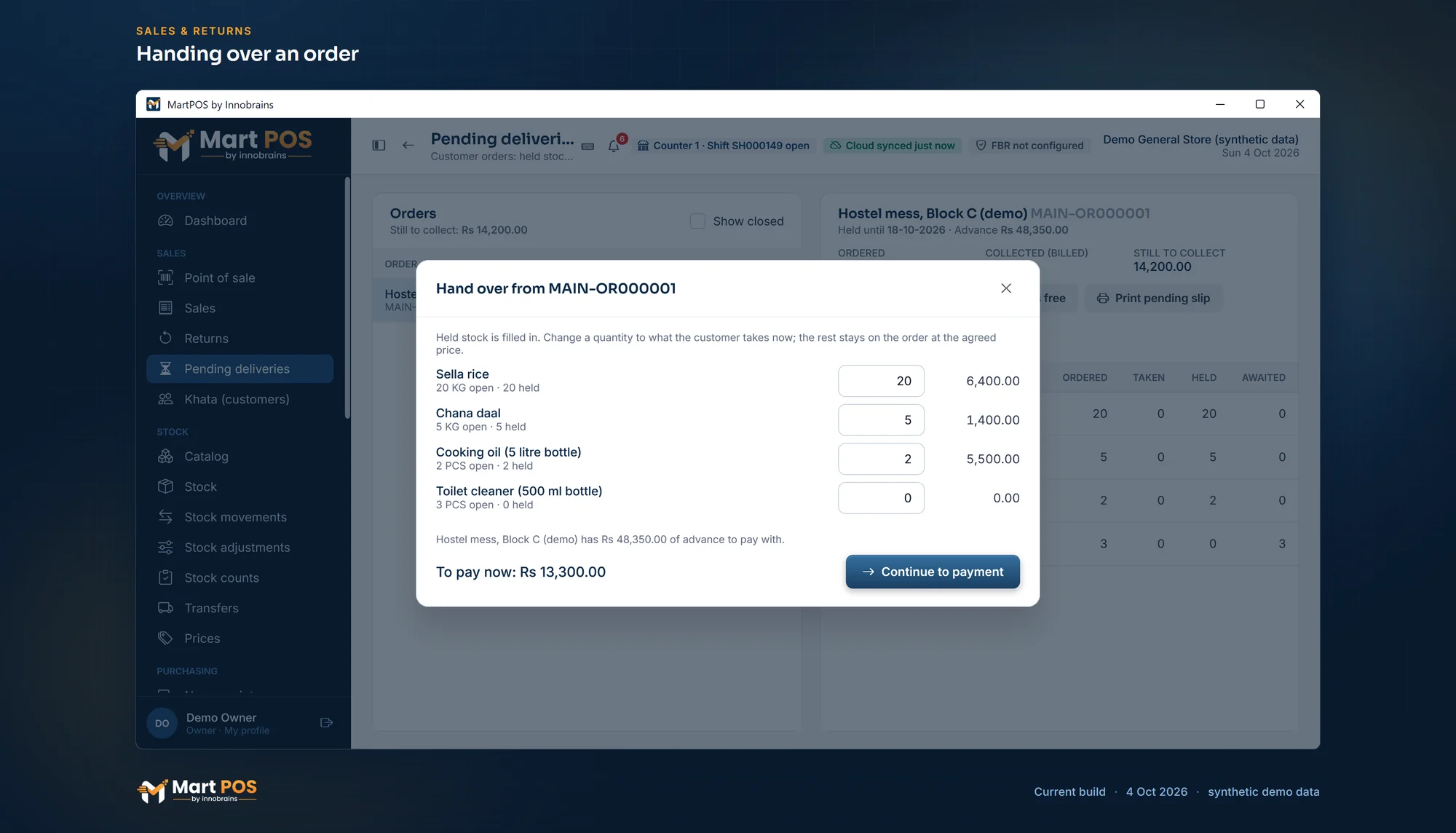
Order (F7) holds stock for a customer until a hold date; what is not in stock is awaited, and the hand-over is a normal bill at the agreed price.
Missed sales
"Asked for" (Ctrl+M) notes what a customer wanted and did not get: out of stock, not kept, or the price. Reports › Missed sales shows what is asked for most.
Items, packs & barcodes
Items the way a general store really stocks them.
Loose goods
Items sold loose keep their stock in kg, litres or another unit with parts (0.625 kg), so loose sales and what is left always add up.
Packs and cartons
Packets, cartons, bags or dozens, with sizes set per item and a price and barcode of their own. Stock is kept in the base unit.
Several barcodes per item
The maker's barcode on the packet, the carton barcode and your old labels all find the right item and unit.
Check digits on entry
EAN-13, UPC-A and EAN-8 check digits are verified on entry and on import; a wrong one is refused. MartPOS never invents a barcode.
Urdu names and other names
An item's Urdu name shows beside the English one in the Noto Nastaliq Urdu font, on screen and in PDFs, and is searchable, together with the other names customers ask for.
Brands and categories
Brand, variant or size, category and shelf for every item, so the 1 kg pouch is never mixed up with the 500 g one.
Services and charges
Home delivery, a carry bag or stitching: billed and refunded like any item, with no stock and no cost, so it is never bought, counted or out of stock.
Barcode rules and new-item defaults
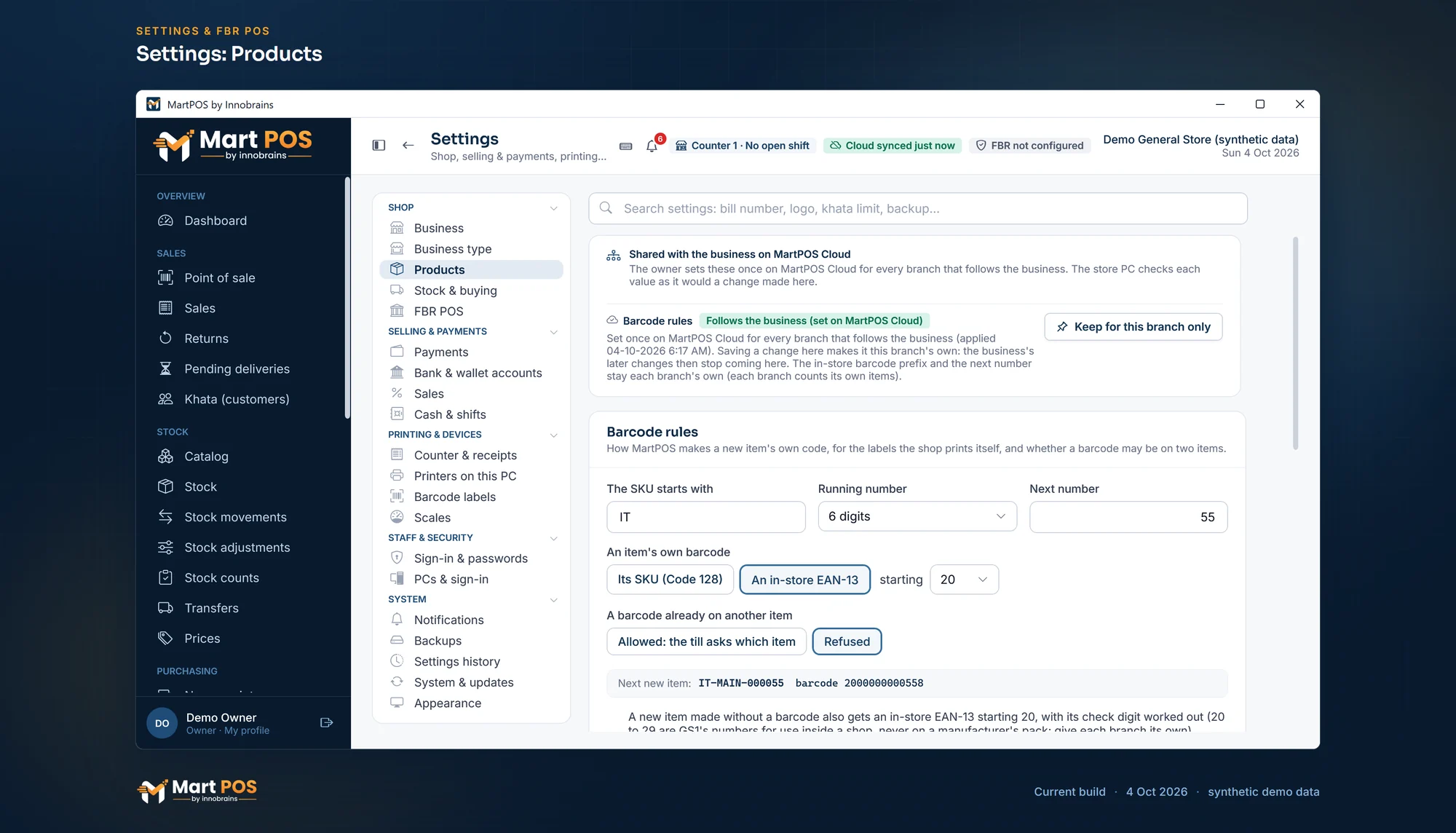
Settings › Products: your own SKU prefix, in-store EAN-13 barcodes from the 20 to 29 prefixes with their check digit, duplicate barcodes refused if you choose, and the tax rate and reorder level a new item starts with.
Prices & promotions
Retail and wholesale prices, price lists and offers that never stack.
Retail and wholesale prices
Each unit has a retail and a wholesale price, dated, with history kept; a price change never rewrites an old bill.
Retail | Wholesale at the till
Sell retail, retail and wholesale with a switch on every bill, or run a wholesale shop; a counter can start at wholesale. Switching needs an owner's or manager's permission, or a cashier the owner allows.
Price lists
A named, dated price list for a group of customers, such as shopkeepers who buy from you: their own prices, or a discount off a brand or category.
Quantity breaks
A lower price from a set quantity, per unit. The till picks the lowest price that applies.
Dated promotions
A discount on everything, a brand, a category or chosen items, with a first and last day; ended early only with a reason.
Where each price came from
One source sets each price and nothing stacks; every bill line says where its price came from.
Below cost needs a manager
Selling below cost needs authorisation, except in a clearance promotion the owner approved.
Stock & purchasing
Supplier bills, returns and counts, with stock that cannot go negative.
Purchase receipts
Goods and the supplier's bill together, paid now, on credit or from an advance. The same supplier bill number cannot be entered twice, and purchases can carry the shop's own numbers.
Landed cost: freight and loading
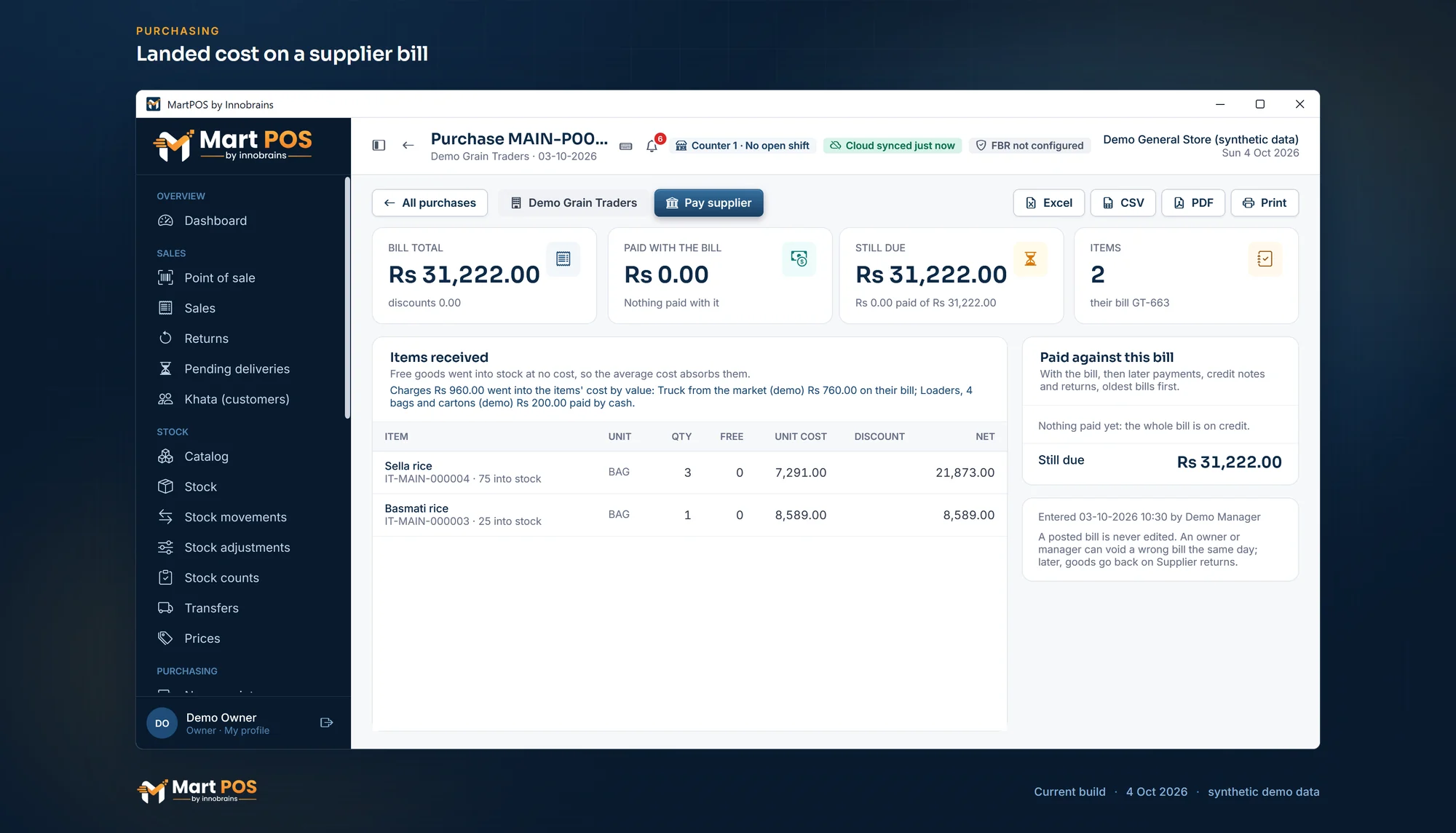
Freight, loading and other charges on a delivery, on the supplier's bill or paid now from the drawer, a bank or a wallet, are shared into the items' cost by value or by quantity, so profit counts what the goods really cost. A freight bill that comes after the purchase was posted is added to it later: the part for goods still in stock goes into their cost, the rest to cost of goods sold.
Purchase orders and matching
Orders at an agreed cost, delivered in parts, never received beyond what is still to come; bills matched against the agreed cost.
Supplier returns
Goods sent back become a claim at the net price last paid; the supplier's credit note settles it. A return past the supplier's window needs a manager and a reason.
Stock counts while open
Count a shelf, a category or everything; each line keeps what the records said at that moment, and only real differences are posted.
Stock adjustments
Damaged or missing stock written off with a reason, at its cost. Nothing changes stock without a document.
Godown and transfers
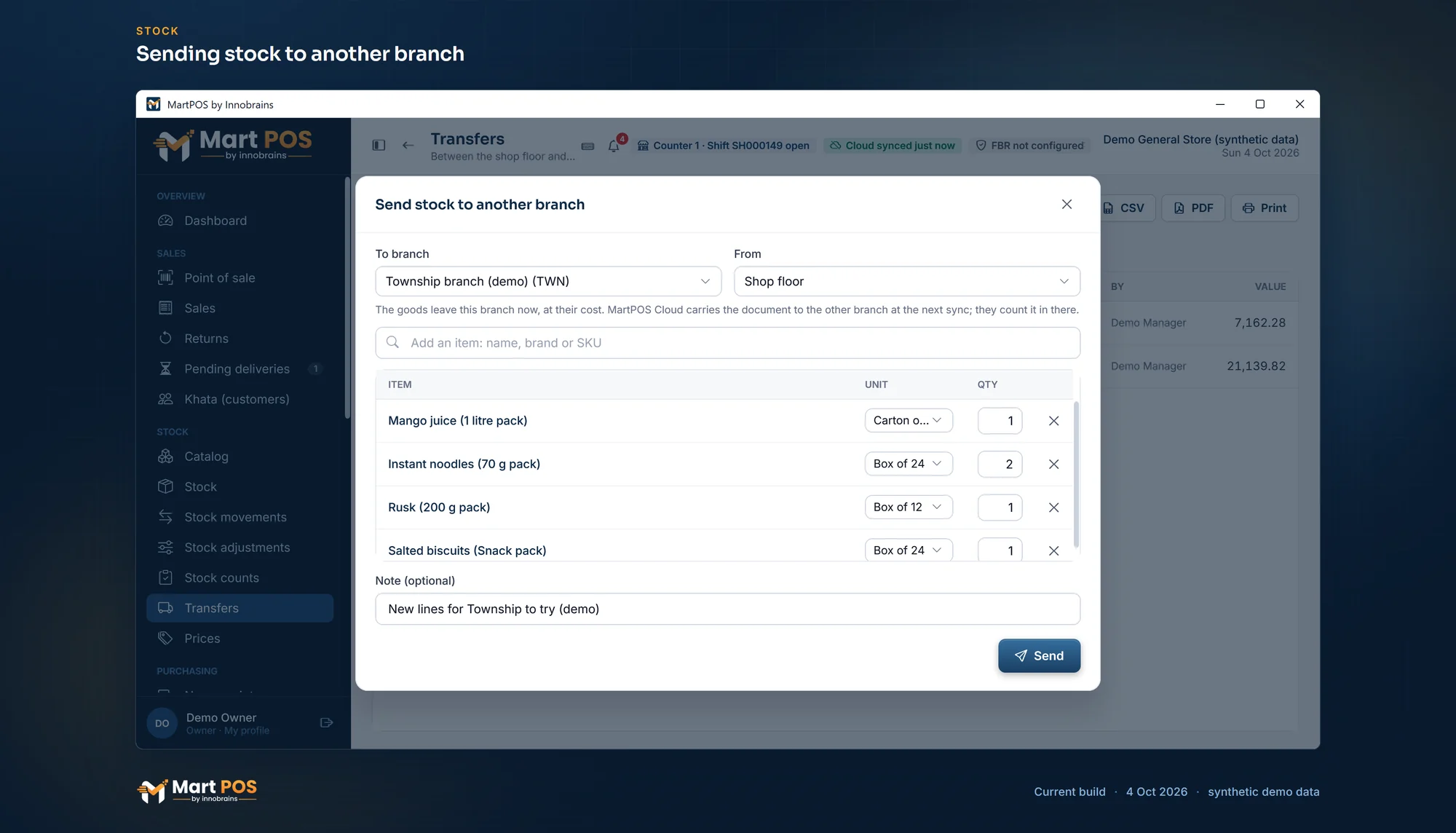
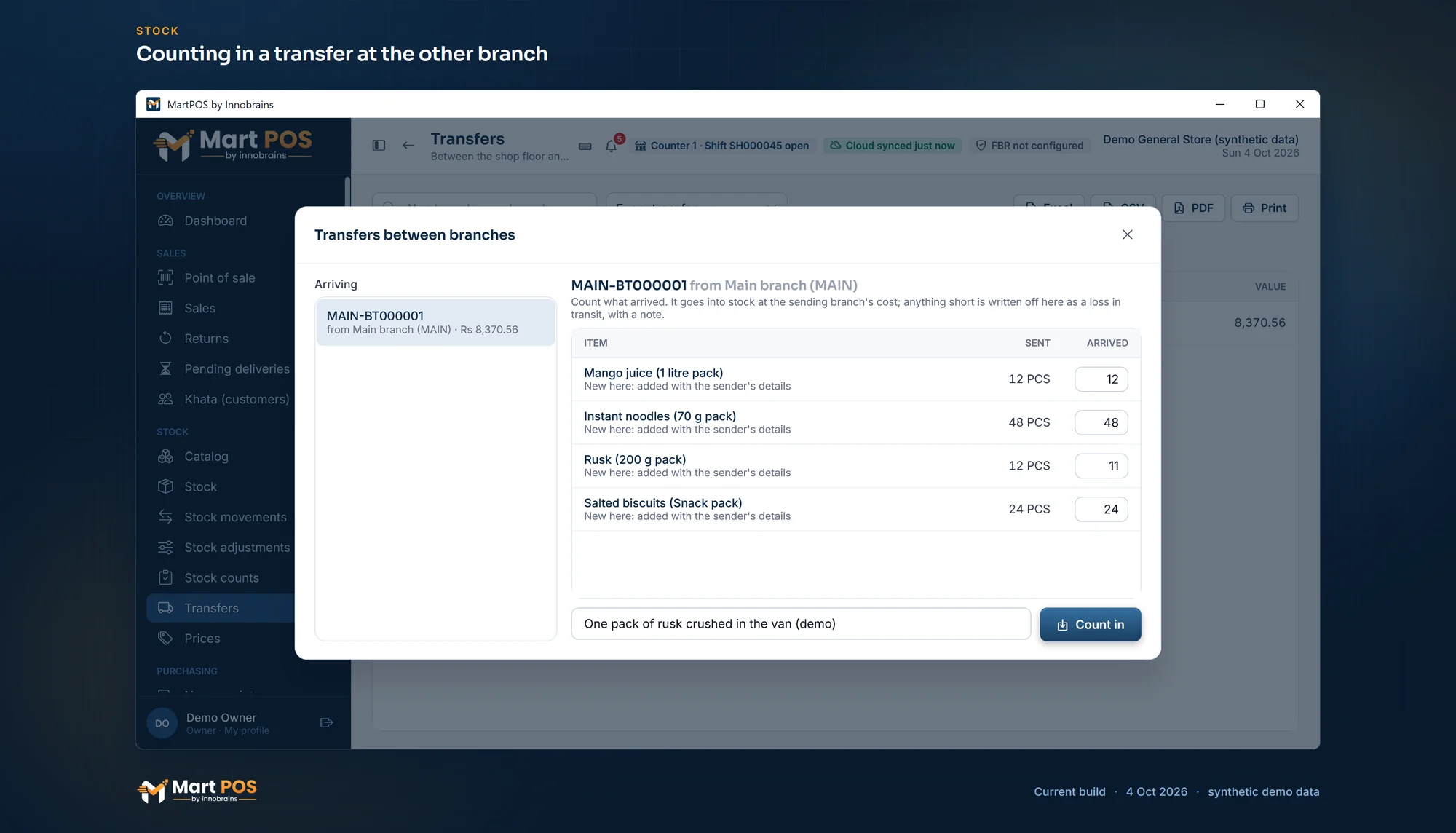
A godown or back store beside the shop floor; the till sells from the floor. Transfers between branches too: sent at cost and counted in at the other branch.
Expiry dates and batches, where you want them
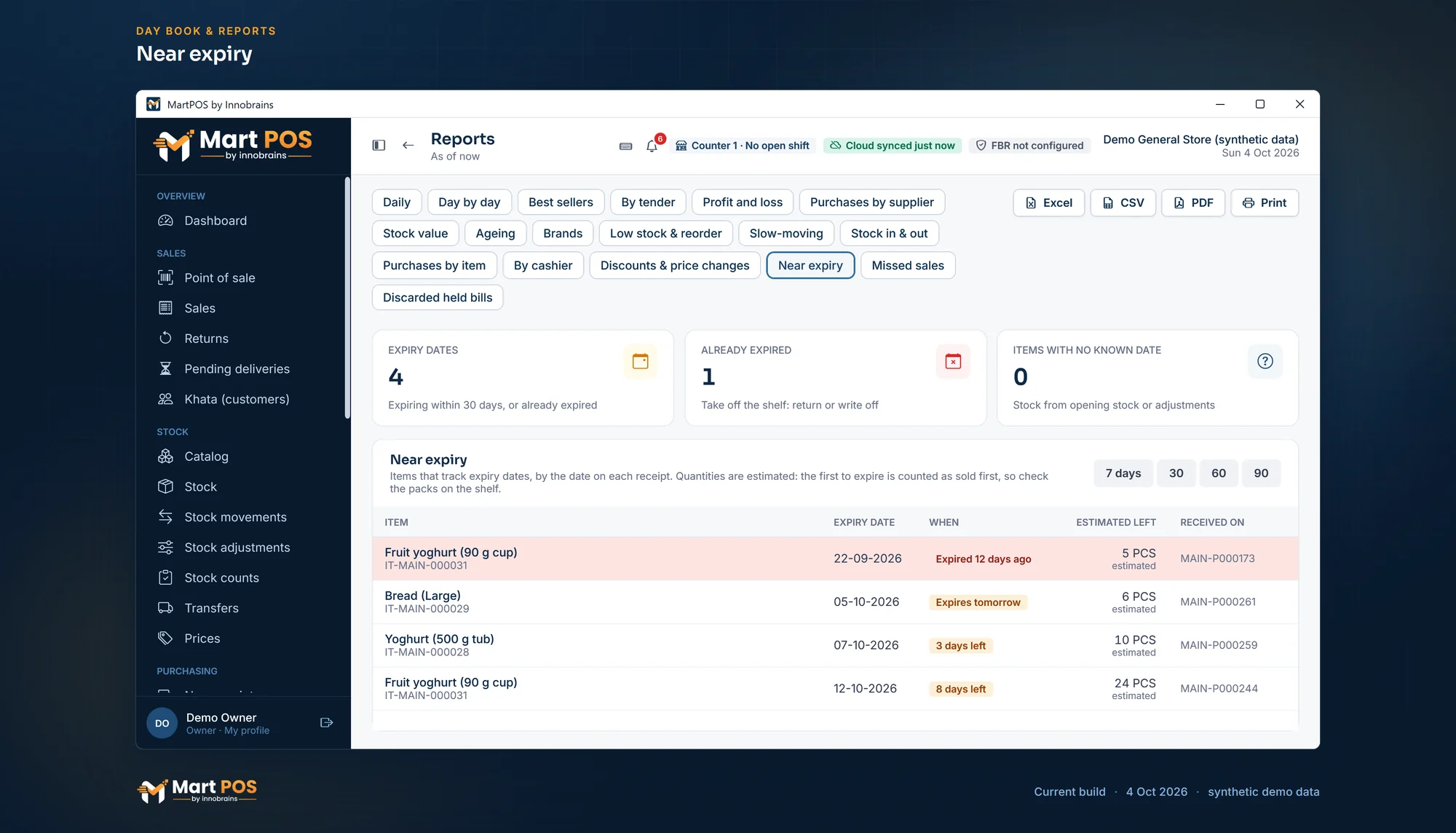
Tick "Track expiry dates" on an item and every purchase asks for the date on the goods, with its batch number if you want it. Stock is kept in lots by date and batch, sold earliest date first; Reports › Near expiry lists the lots close to their date, and the dashboard warns you. You choose what the till does with stock past its date: sell it, warn, ask for a manager's PIN, or refuse.
Shelf labels to print again
Labels printed with a price that has changed since are listed in Labels and on the dashboard; "Add all to print" puts them back on at today's price.
Money & accounts
Books kept for you, in double entry, without knowing accounting.
Udhaar khata for customers
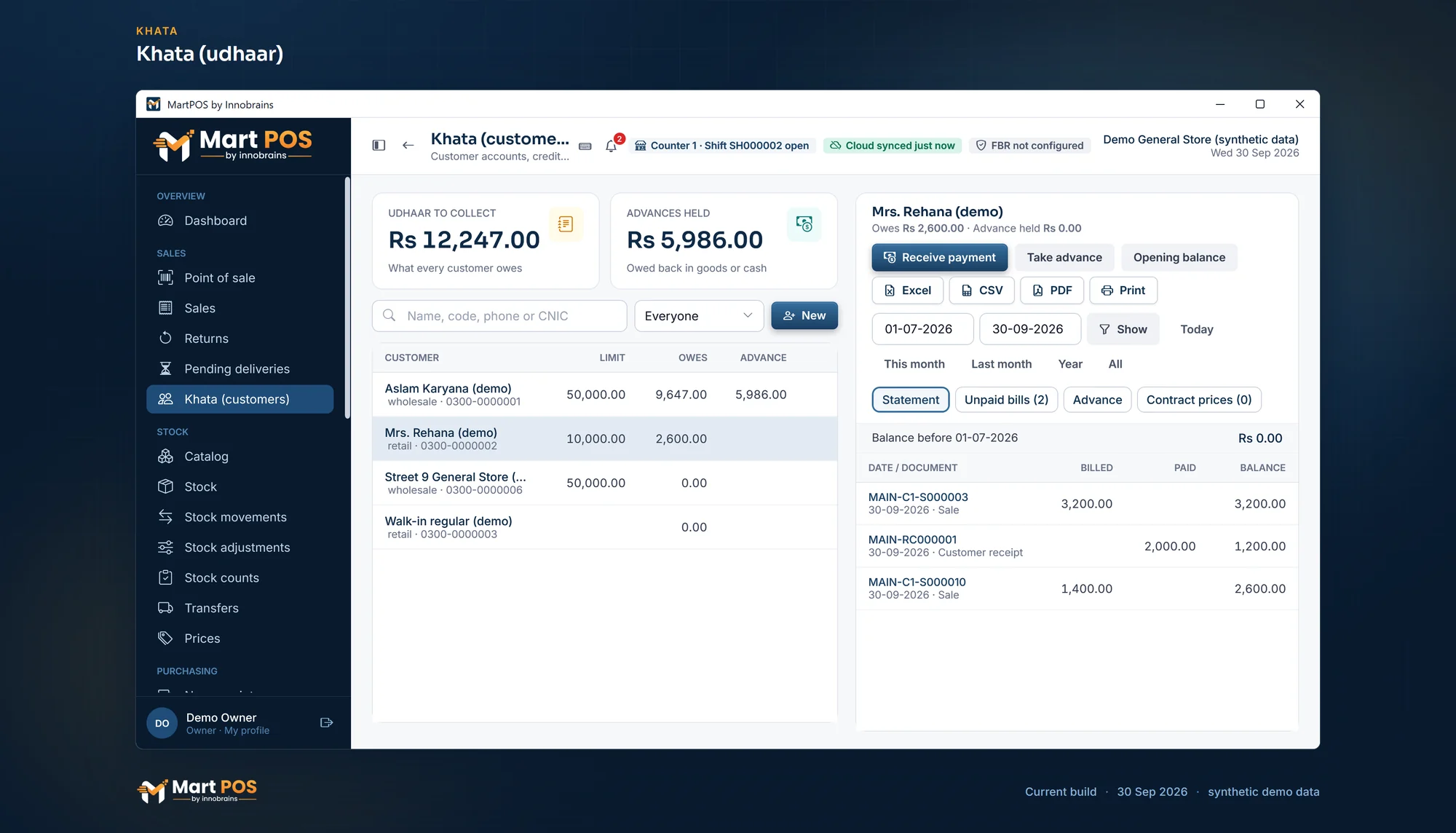
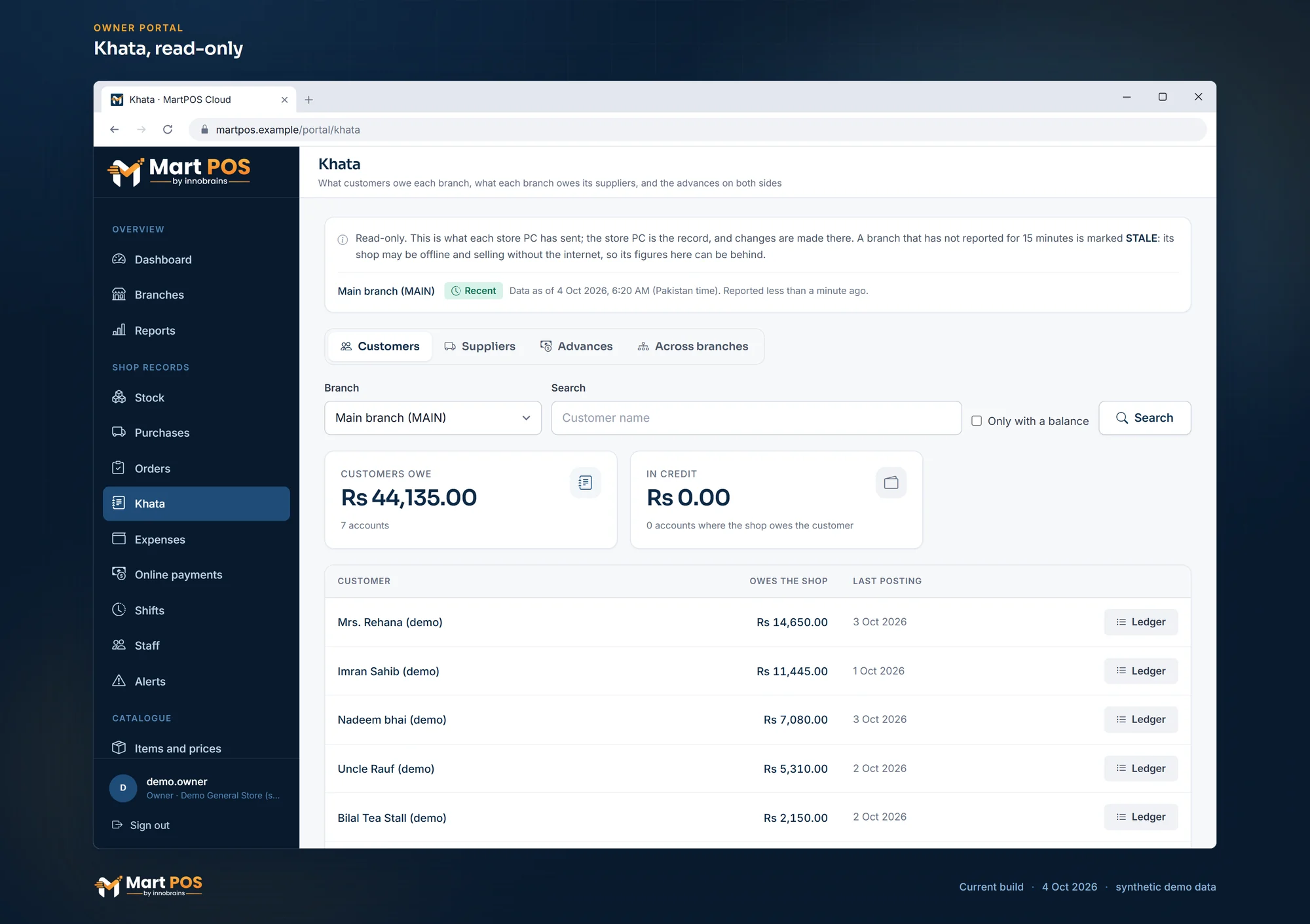
Credit limits, balances, statements, and payments received in cash (through the drawer), bank, card or wallet. The Khata screen shows the total udhaar to collect.
Khata credit rules
Over the limit, or with a bill unpaid for too long: the bill is refused, the cashier is warned and confirms, or a manager approves it with a PIN. Each bill keeps who let it through. A payment can settle the bills the customer chooses.
Customer advances
Money a customer pays ahead is held for them, used later on bills and refundable; never counted as a sale or as extra cash.
Suppliers
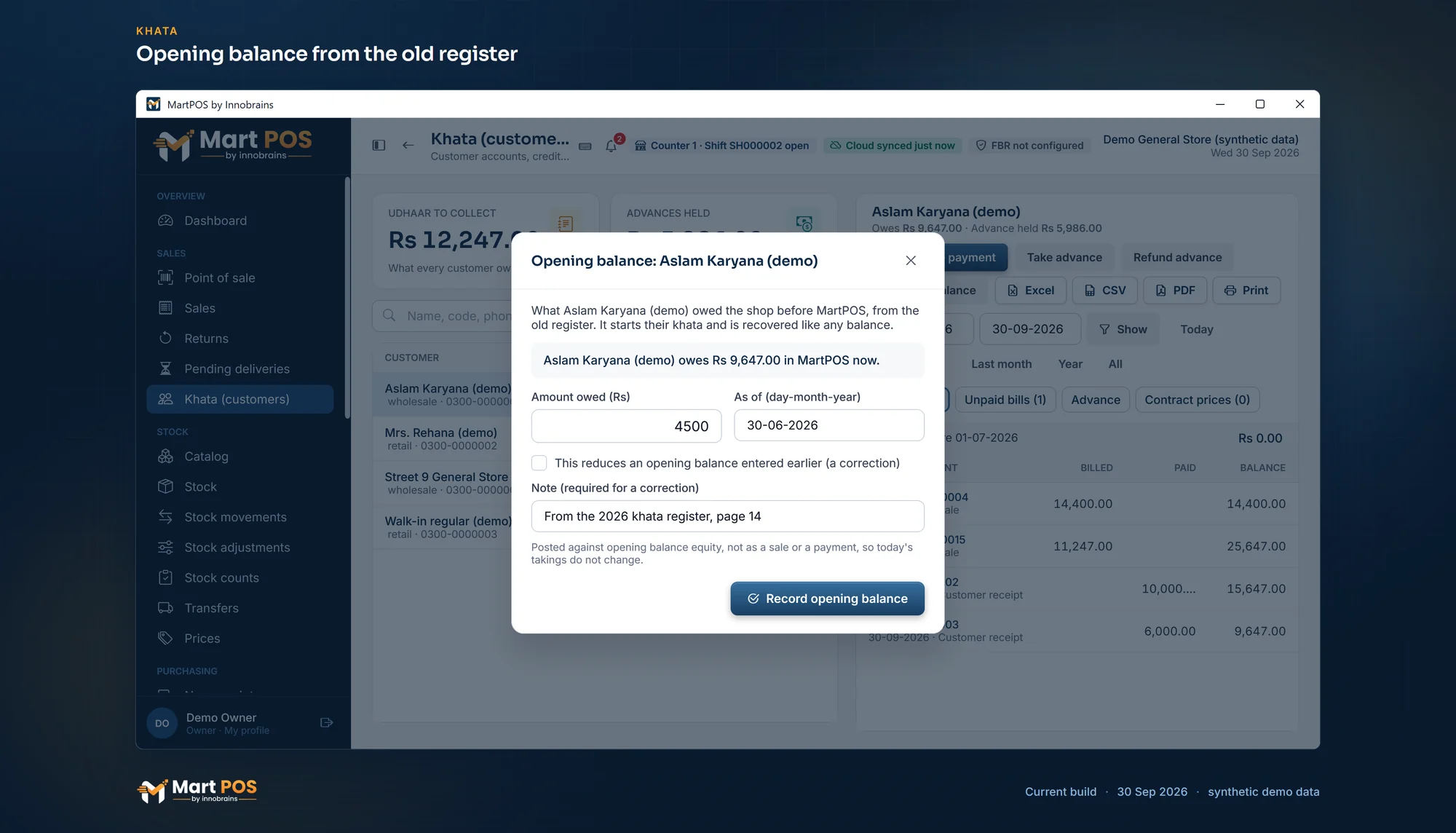
Payments, advances paid ahead of their bill, statements and opening balances for what the shop owed before MartPOS.
Double-entry day book
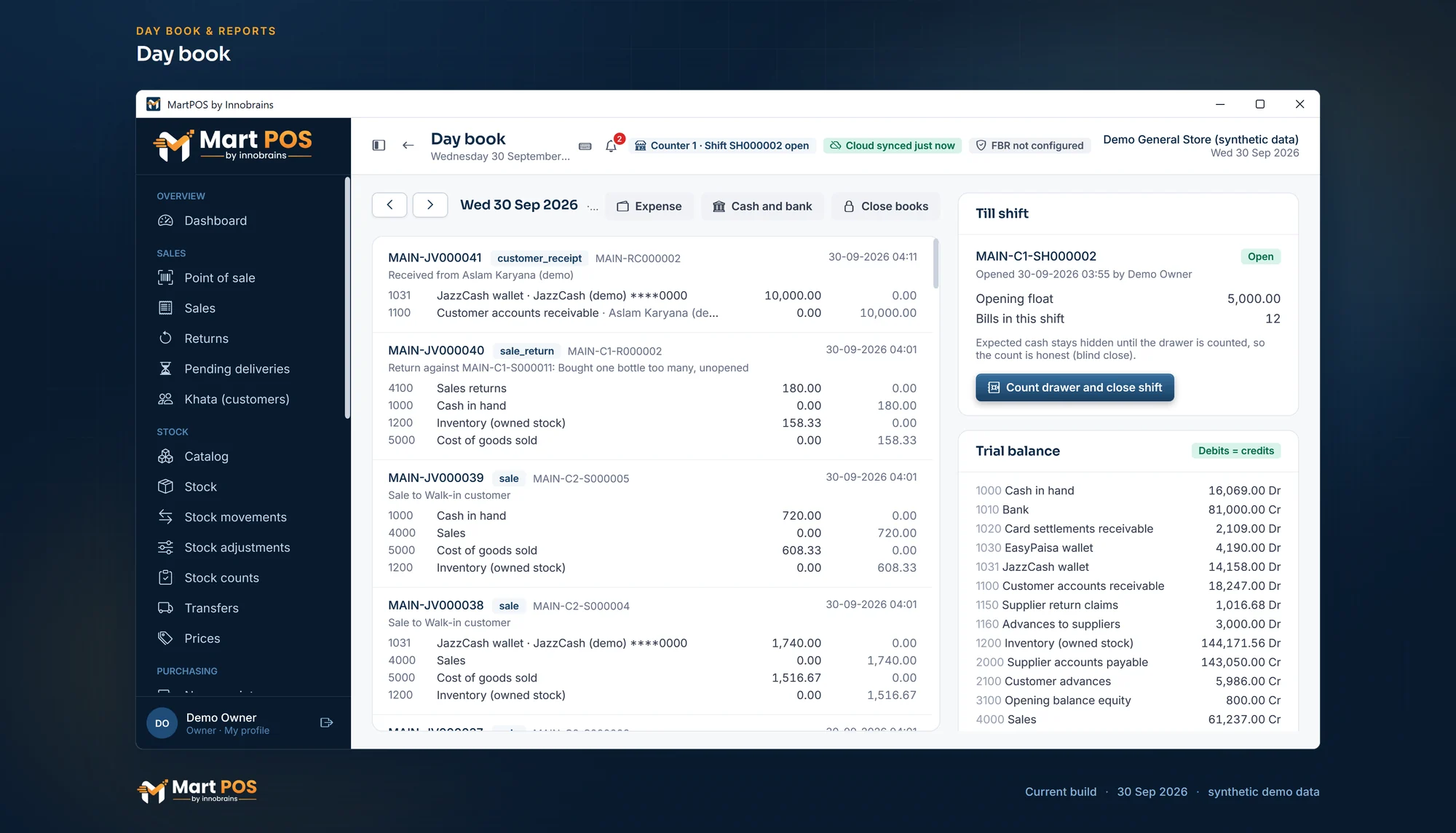
Every posting is a balanced journal entry: the day book (roznamcha), trial balance, cash book and a daily sales report with gross profit.
Expenses and the bank
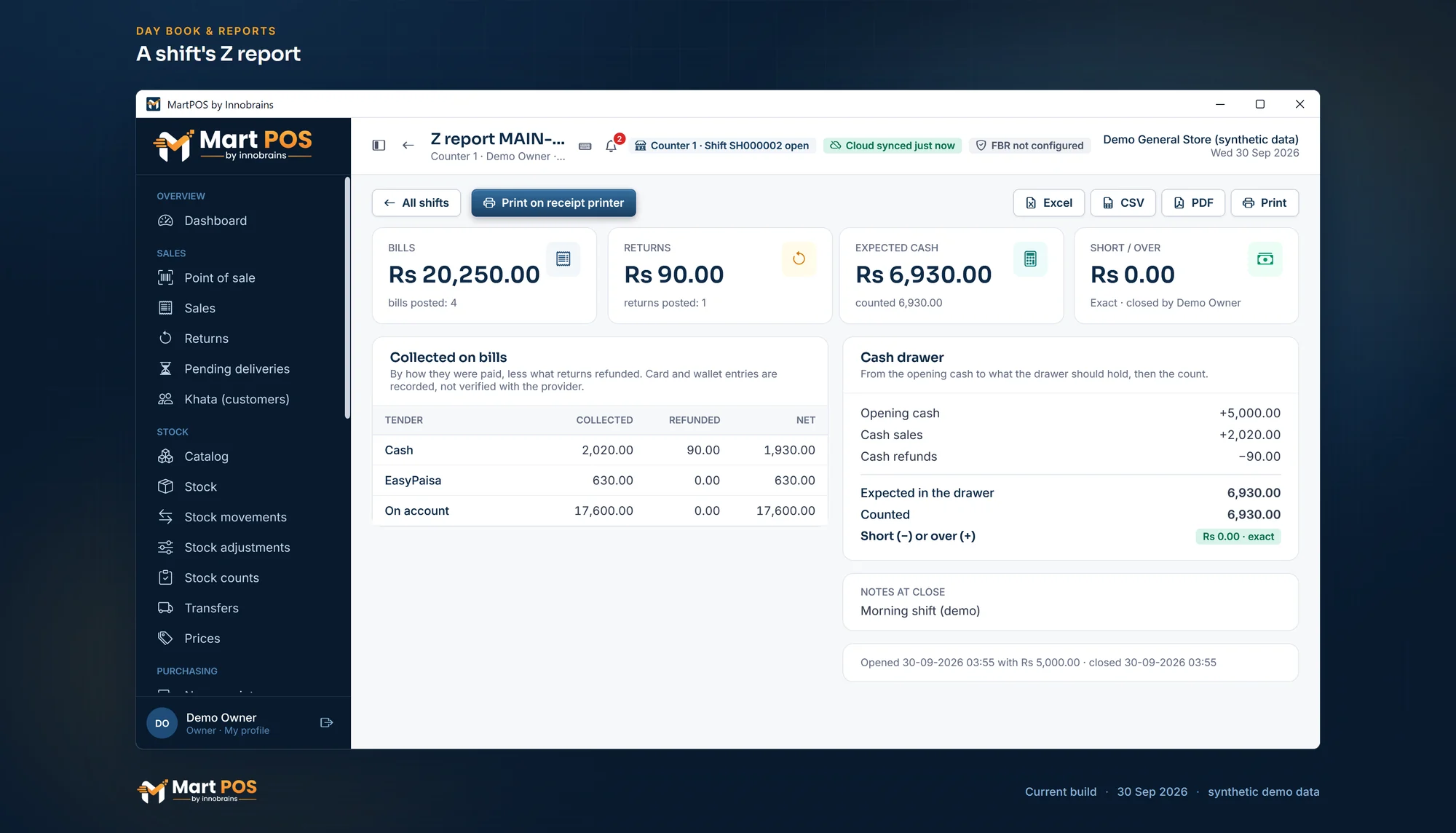
Rent, wages, electricity and the expense categories you add, from the drawer, the bank or a wallet; cash taken to or from the bank, with a manager's approval above an amount you set. All reconcile at the shift close.
Owner reports
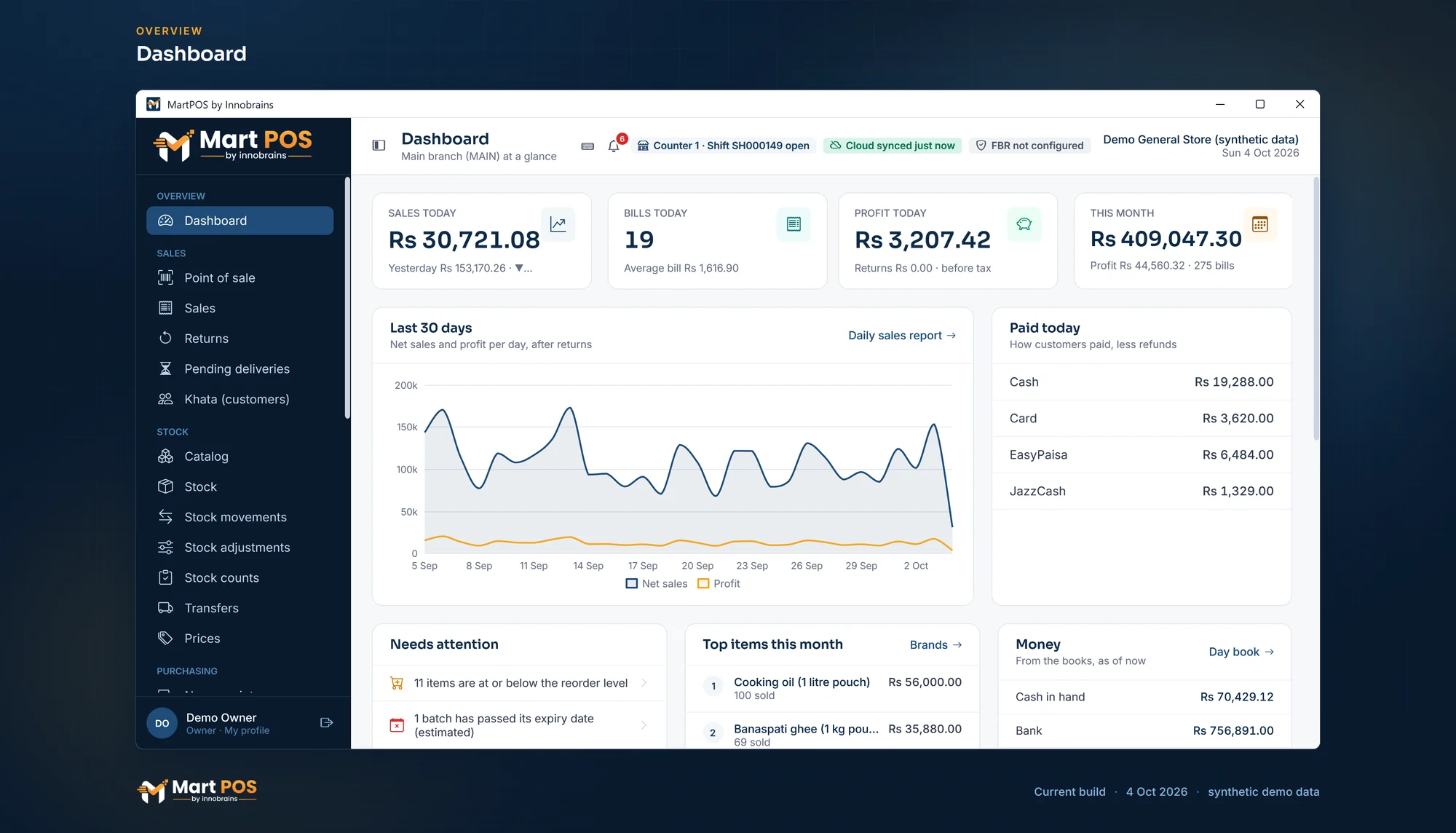
Profit and loss, stock value by category, and customer and supplier ageing. The owner can close the books through a date.
A business day past midnight
A shop open late can count the small hours on the day before: one cutoff for bills, shifts, reports and the owner portal's "today".
FBR POS integration
Every bill reported to FBR once you switch it on; optional for everyone.
Reported as you bill
Every sale goes to FBR right after it is saved, through FBR's online API or FBR's Fiscal Component. Returns go as credit notes against the original invoice.
FBR number and QR
Receipts print the FBR invoice number, its QR code, your NTN, STRN and FBR POS ID, and FBR's Tax Asaan verification line.
Offline invoices
A bill made while FBR cannot be reached prints as an offline invoice and is sent again automatically, oldest first, until FBR has it.
Tax on each item
A tax rate per item, added on top of the price and shown on the till, receipts, the A4 invoice and reports. Your tax adviser sets the rates.
Re 1 POS fee
Added after the bill total, printed on its own line and kept out of sales and profit.
Off until you need it
No fee, no FBR lines and no FBR fields until you switch it on in Settings.
Shop network & cloud
Works without internet; the owner still sees every branch.
Works without internet
The main PC runs the store server and keeps the database. Selling, returns, purchases and closing the day need no internet.
Tills on other PCs
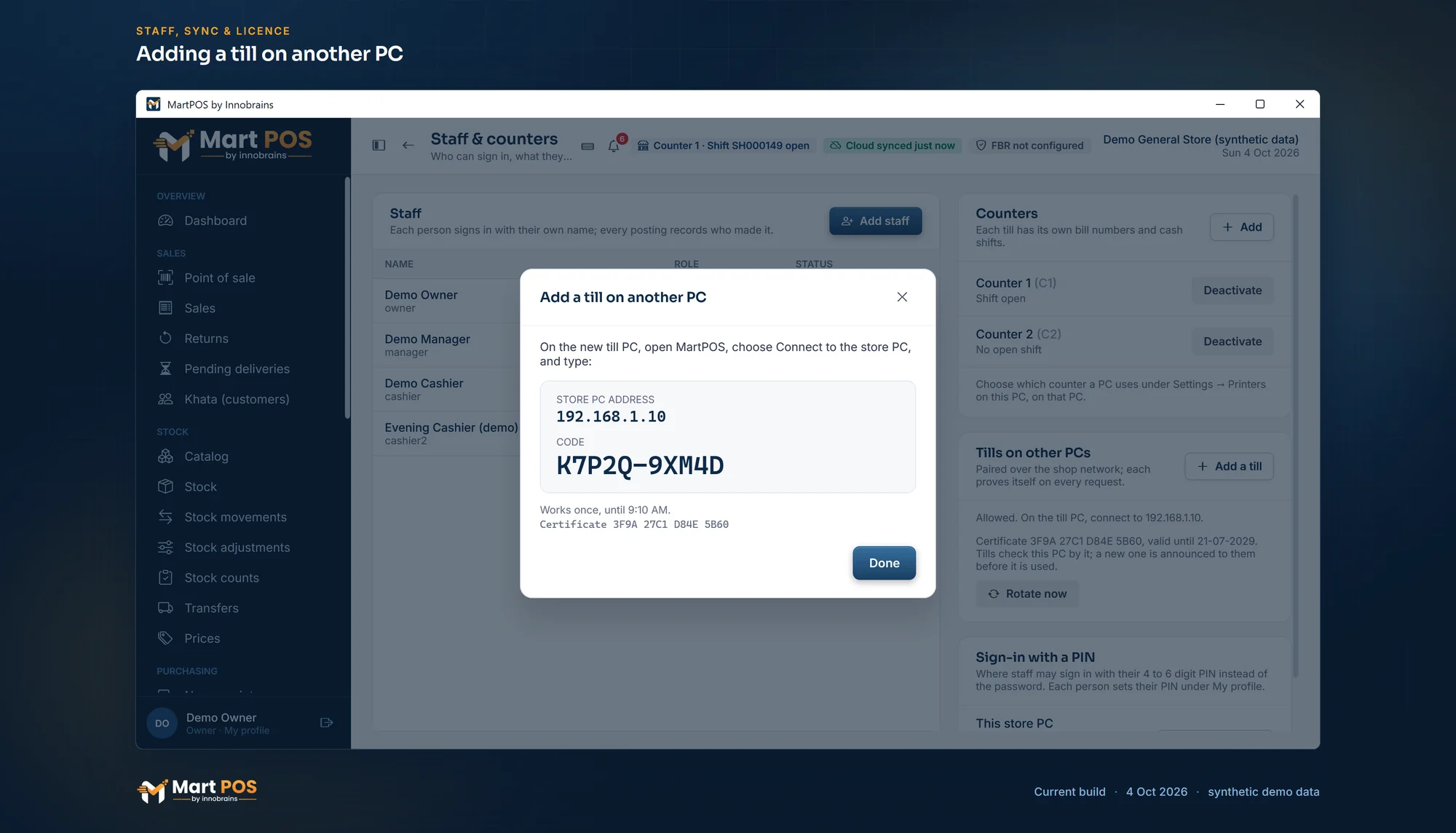
Other PCs join over the shop network with a one-time code and an encrypted, pinned connection, and every till sells from the same stock.
Sync to MartPOS Cloud
Changes go up in order, each once, even after the cloud was away. Cloud totals were checked equal to the store's own report.
Owner portal
Daily sales per branch with the time of the last report; paired PCs, pairing codes, the licence, new items, item and price changes and shop settings sent to the branches, and branch transfers. It works in a laptop's or a phone's browser.
Shop records in the cloud
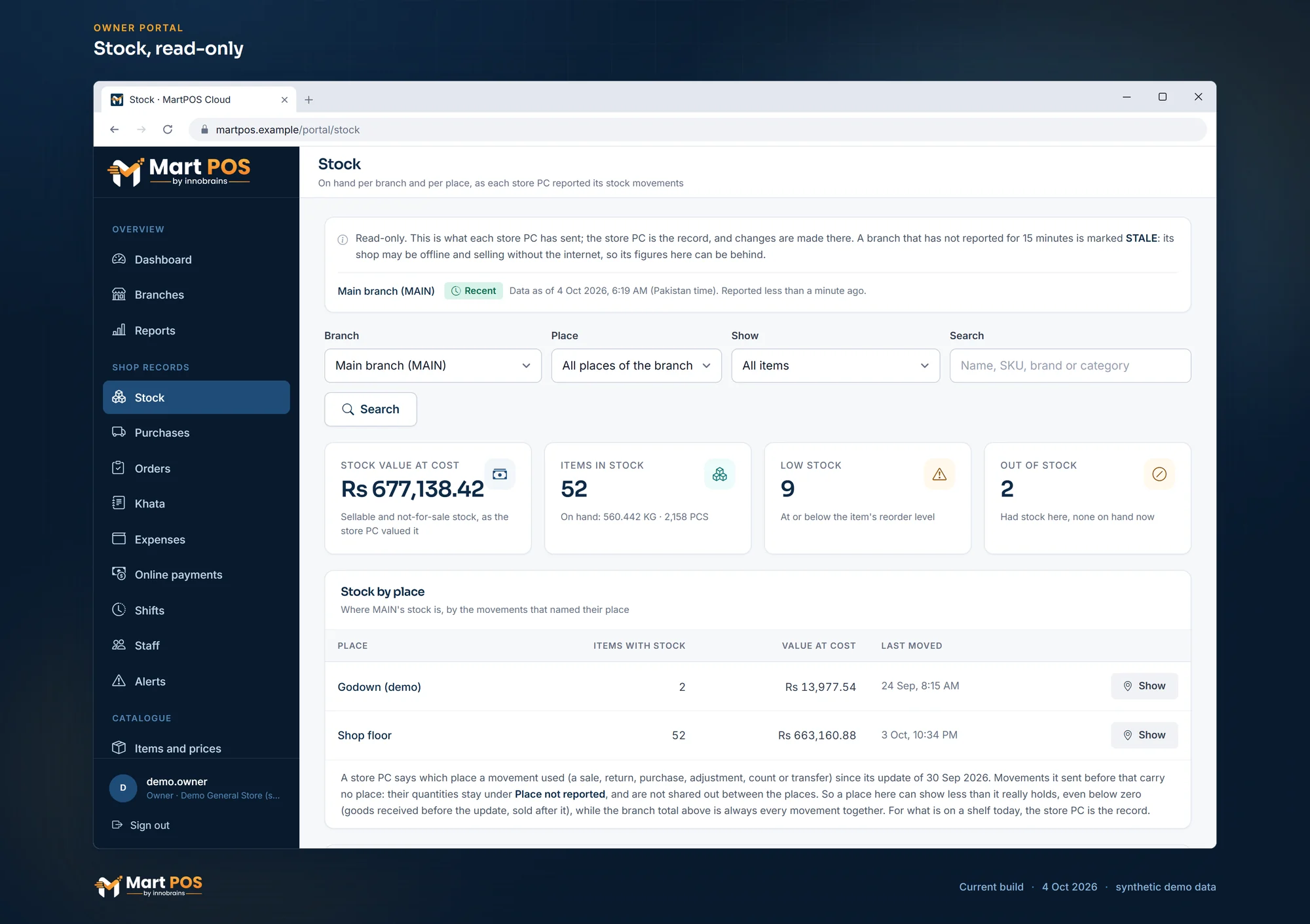
Stock per branch and per place, purchases, customer and purchase orders, khata with advances (customers' and those paid to suppliers), expenses, shifts, the staff list, alerts and a sales report per branch, read-only, as each store PC last sent them.
Managers in the portal
Invite managers by email to see the shop records, reports and alerts, for every branch or only the branches you choose. A manager cannot change the plan, the licence, store PCs, shop settings, items or the members.
Alerts by email
Low stock, near expiry and customers over their credit limit, emailed to each portal member who asks, owner or manager, in English or Roman Urdu, at once or as a daily digest.
Alerts by SMS
The same alerts as texts through SendPK, sent with the shop's approved message templates.
Settings for all branches
Settings › For all branches: share a section of settings, such as the receipt, the ways of paying or the khata rules, from one branch with every branch that follows. Each store PC applies it with its own checks; a branch can keep its own.
Pause or unpair sync
Pause sync and resume it later while billing carries on, or unpair the store PC from the cloud by typing UNPAIR, never while records are still waiting. The data stays on the store PC.
Licence checked offline
The store PC checks the cloud's signed grant itself, without the internet: 30 days by default, plus 14 days' grace, renewed whenever it syncs.
Import from CSV
Items with packs, Urdu names and opening stock, customers and suppliers with opening balances; every row checked first, and the import resumes after a power cut.
Setup, printing & security
Set up for your kind of shop, receipts, printers and labels, and sign-in rules for everyone.
Business type
Kiryana, General store or Mini mart, chosen at setup and changed in Settings. It sets what new items start with, suggests categories and chooses which screens the menus show; "Show every feature" shows them all. Changing it never deletes anything.
Receipts and A4 invoices
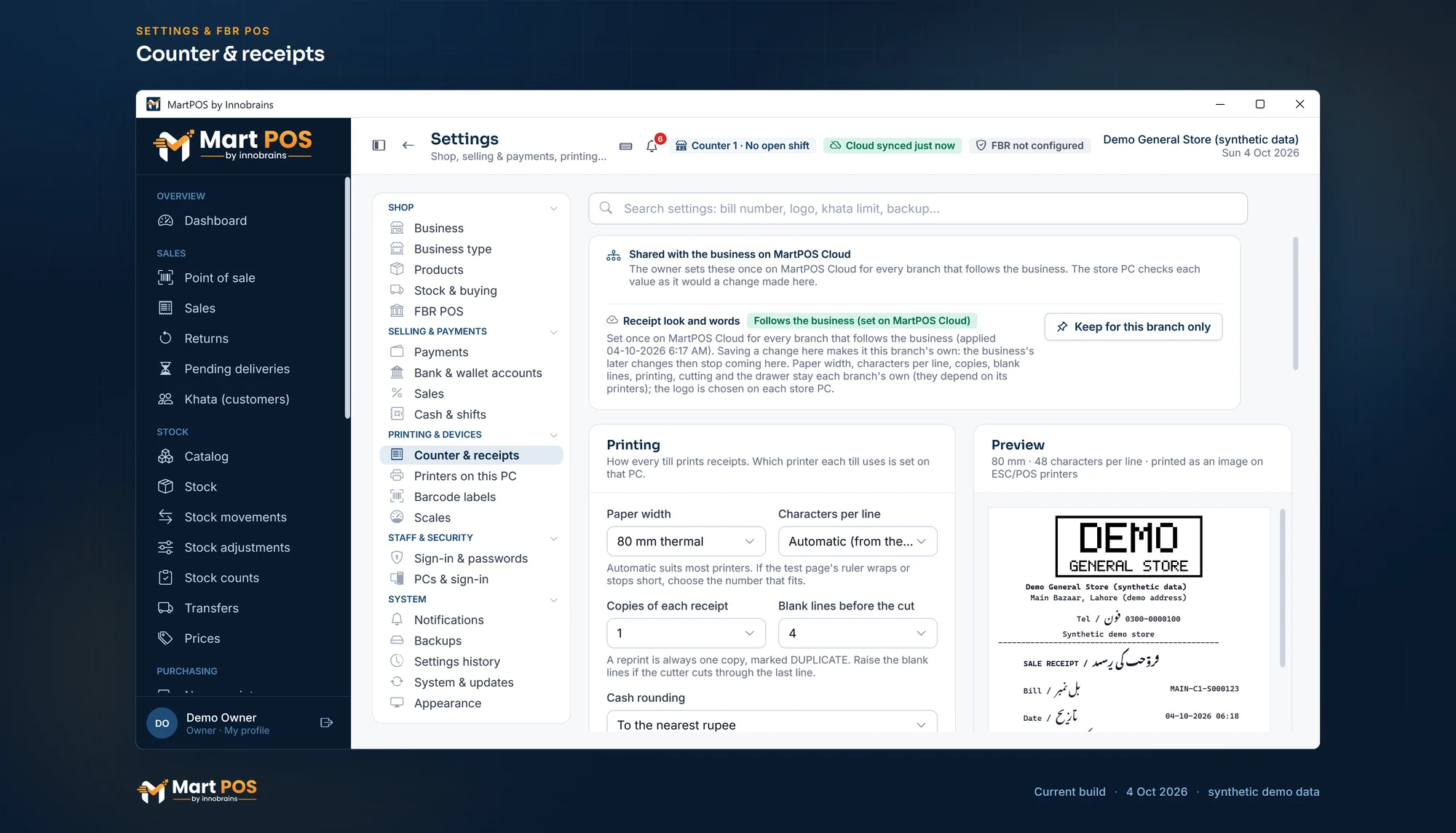
58 and 80 mm thermal receipts with your logo, their words in English, Urdu or both and item names in English, Urdu or both (Urdu printed as a picture), normal or large text; A4 invoices, statements and the main reports in English or Urdu (pages in Urdu laid out right to left).
Printers on each PC
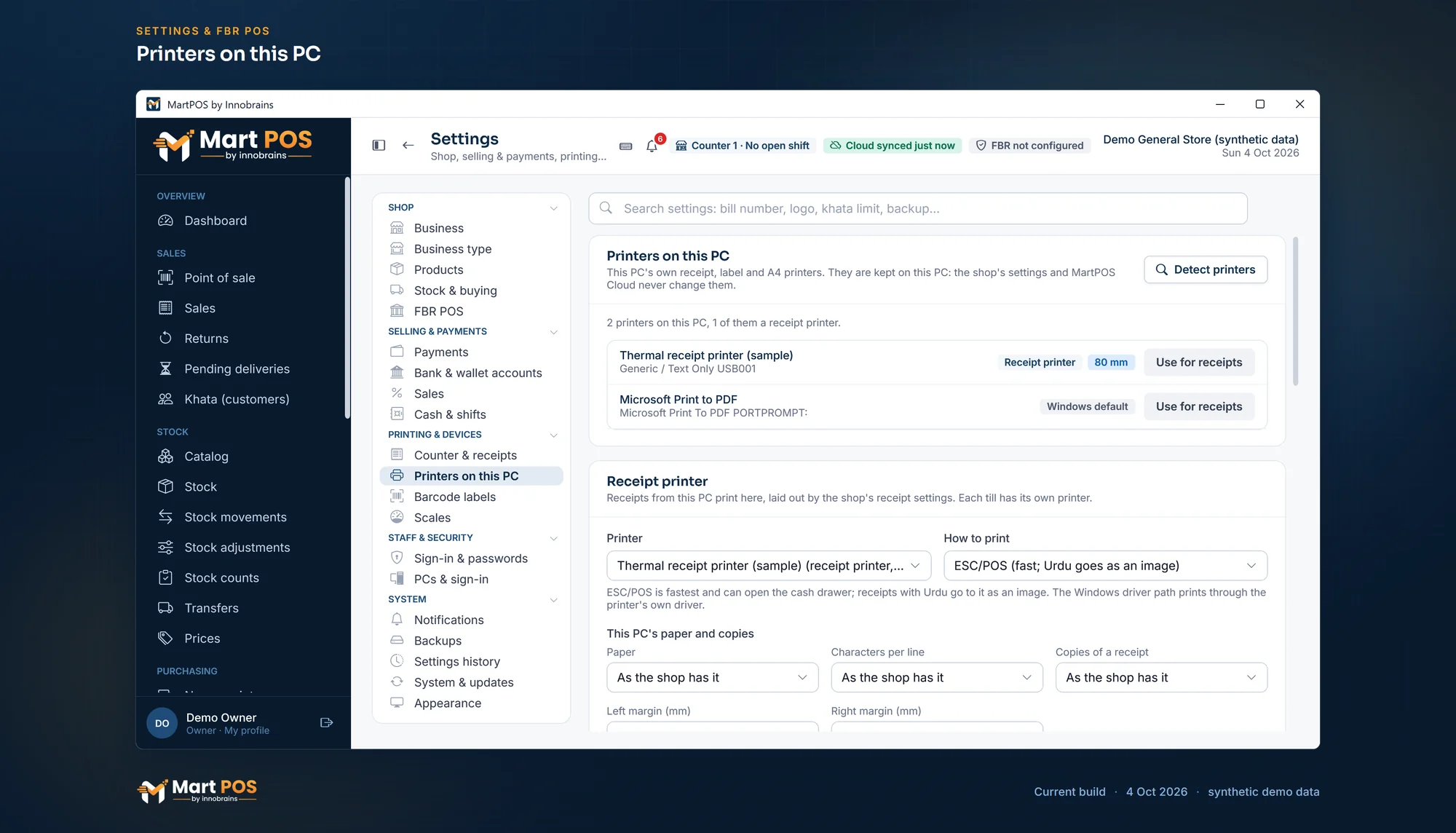
Each PC's receipt, label and A4 printer, a network receipt printer by its address, a test print for each, and each PC's paper, copies and margins.
Barcode labels
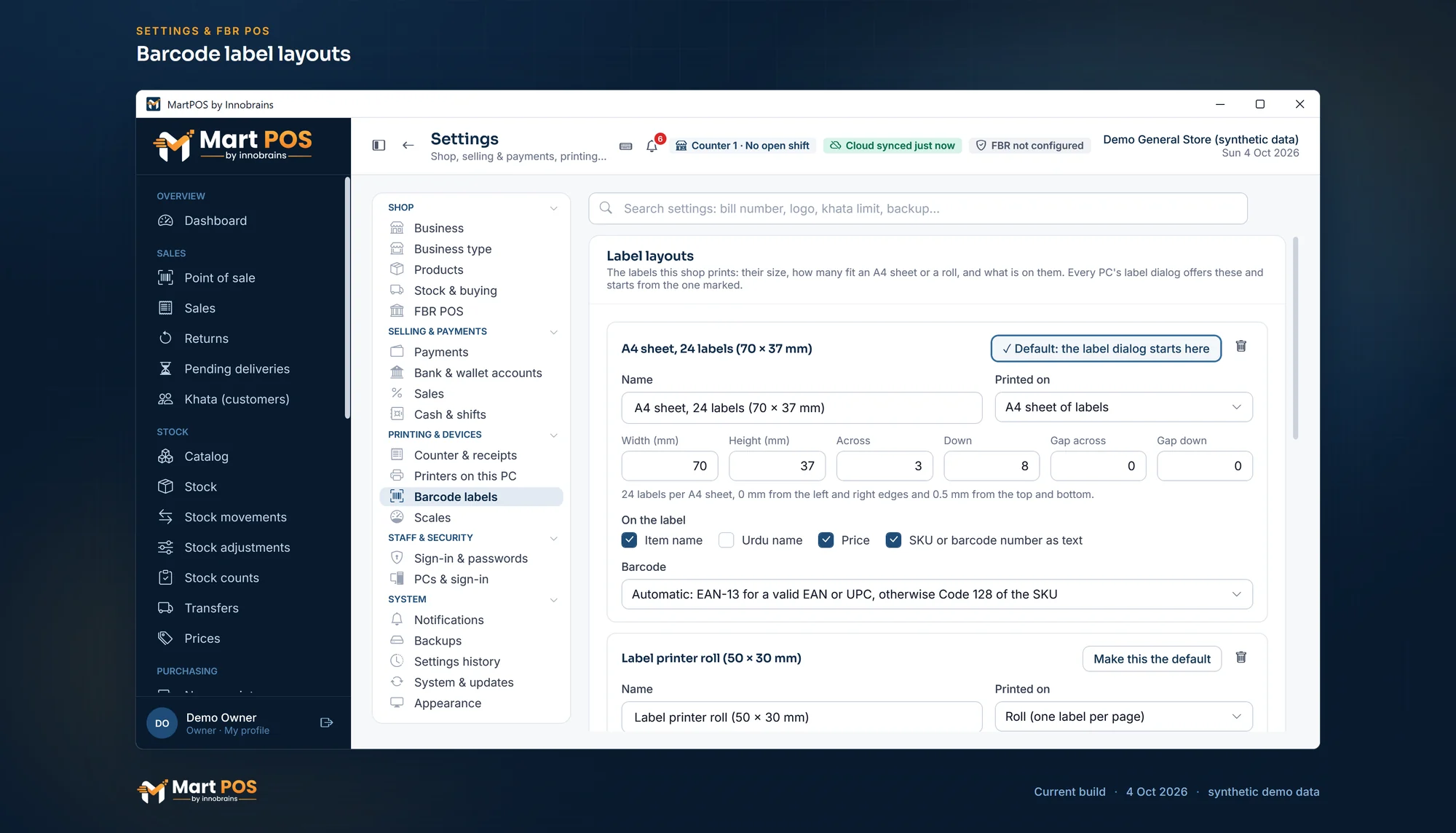
Saved label layouts (the size, an A4 sheet or a roll, which words and which barcode), calibrated on each PC: EAN-13 for a valid EAN, Code 128 of the item's own code otherwise.
Staff and roles
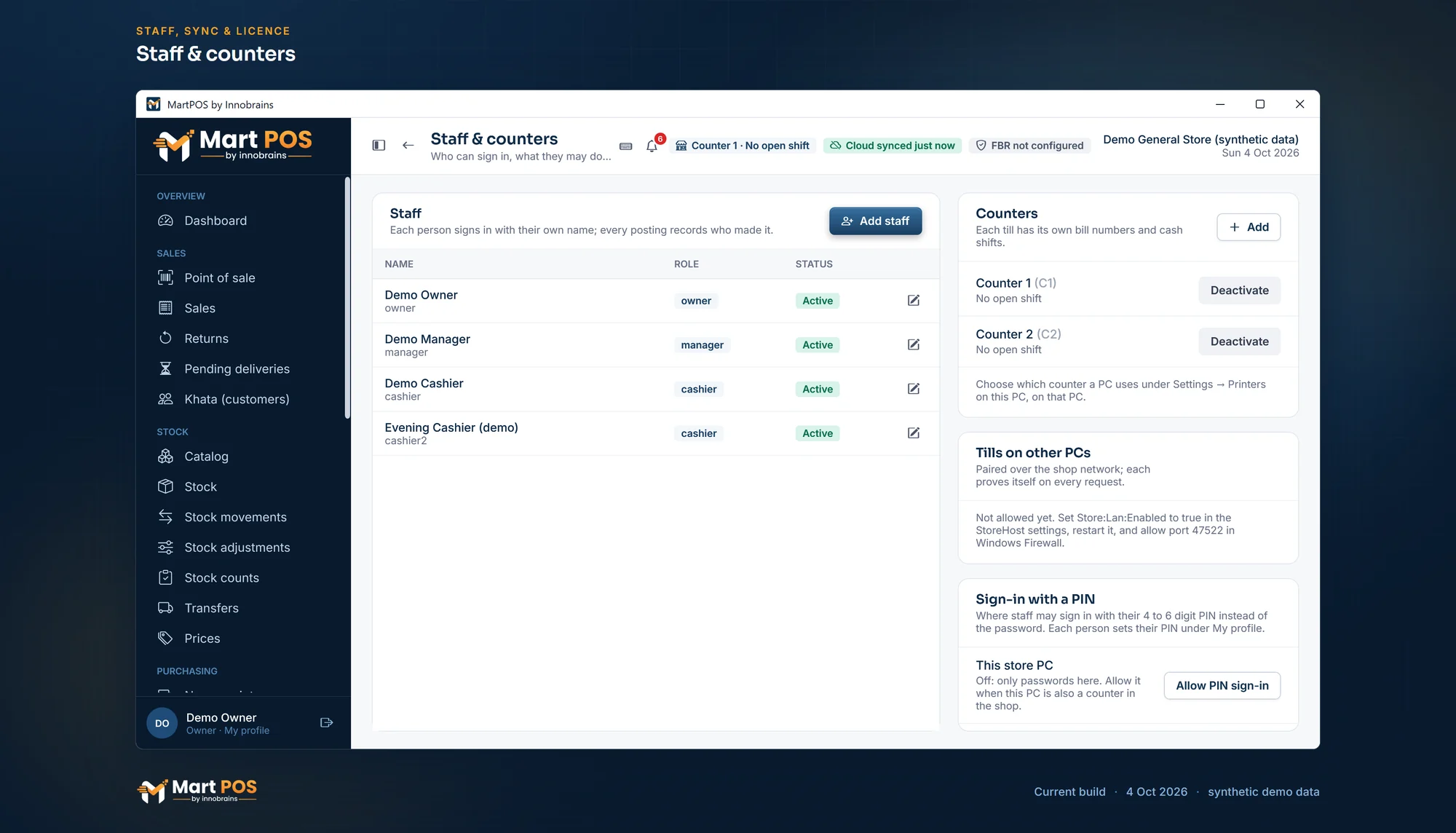
Owners, managers, cashiers, accountants and warehouse staff, each with their own sign-in. Every posting records who made it.
Password, PIN and PC rules
The owner sets how long passwords and PINs must be, how many wrong tries lock sign-in, whether passwords expire, which PC is for the till or the back office, and which roles may sign in on each.
Settings search and history
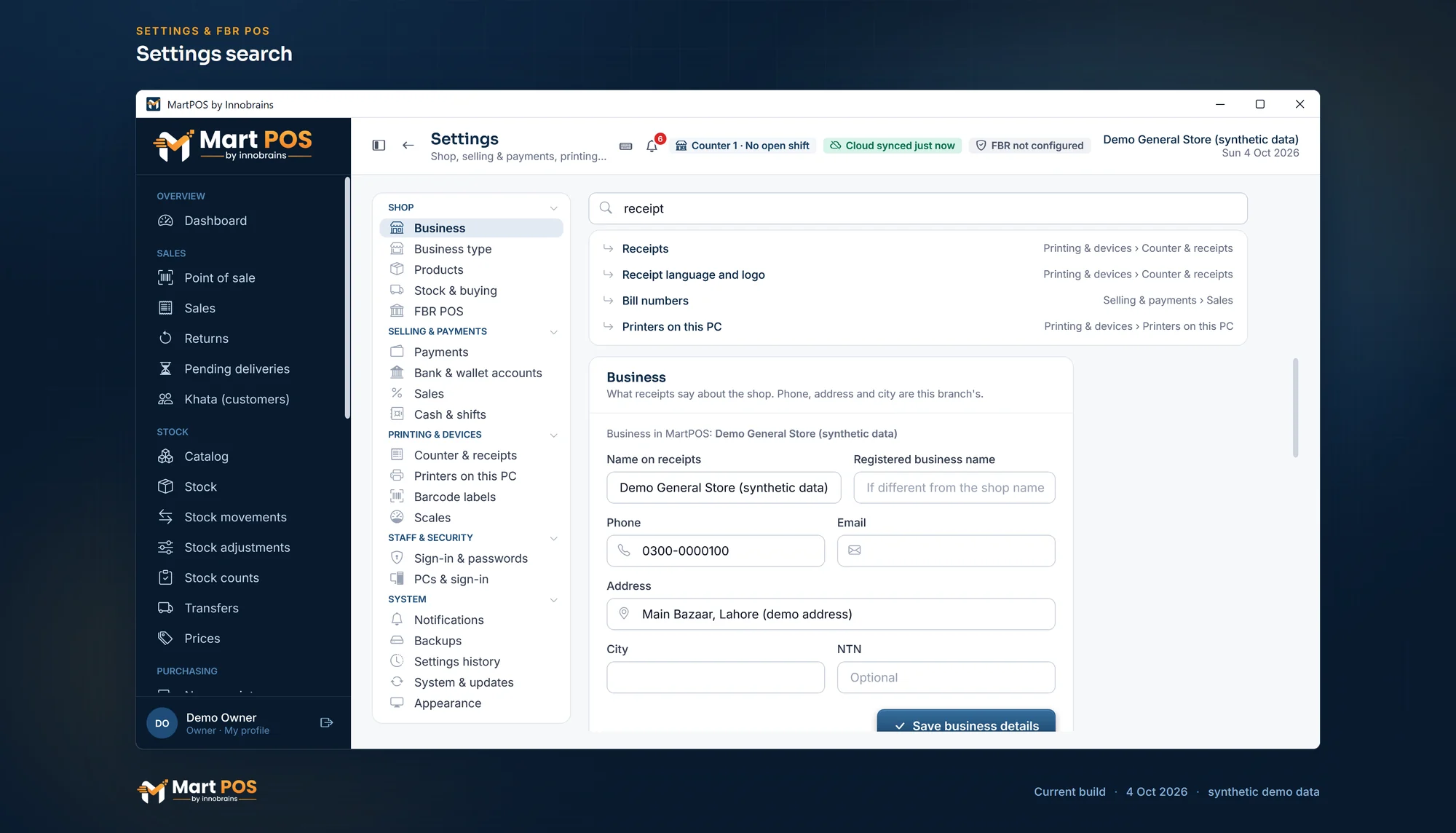
Type what you are looking for beside the Settings menu and it opens the page and the card. Settings history lists who changed which setting, when, from what to what.
Costs kept from cashiers
Cashiers see how much stock there is, but not what it cost: stock values, average costs and the documents about cost stay with the owner and back office.
Closing the books
The owner closes the books through a past date; nothing can then be posted into it, and reopening needs a reason.
Two-step sign-in for the cloud
Owners can require a code from an authenticator app, with one-time recovery codes.
Backups and signed updates
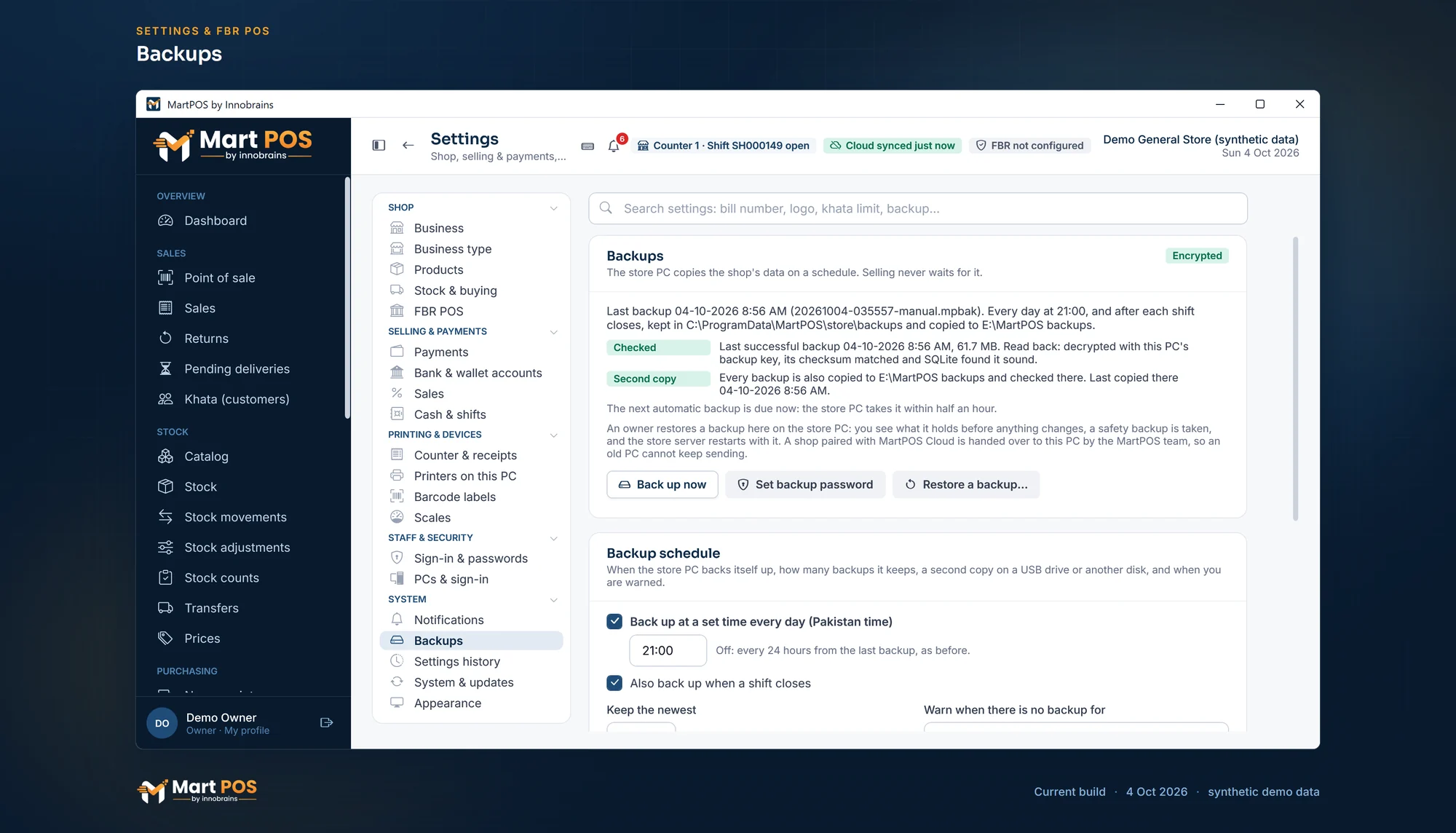
An encrypted backup at the time you choose and after each shift closes, read back to check it, with a second copy to another folder such as a USB drive; restored on screen by an owner. Updates are signed and checked before they install.
Set up with you
The MartPOS team sets up the store server and the tills on your shop PC with you, brings in your item list and shows your staff the till.
The current build, screen by screen
Real screenshots of the Windows app and the owner portal, with synthetic demo data. Click one to see it full size.
At the till
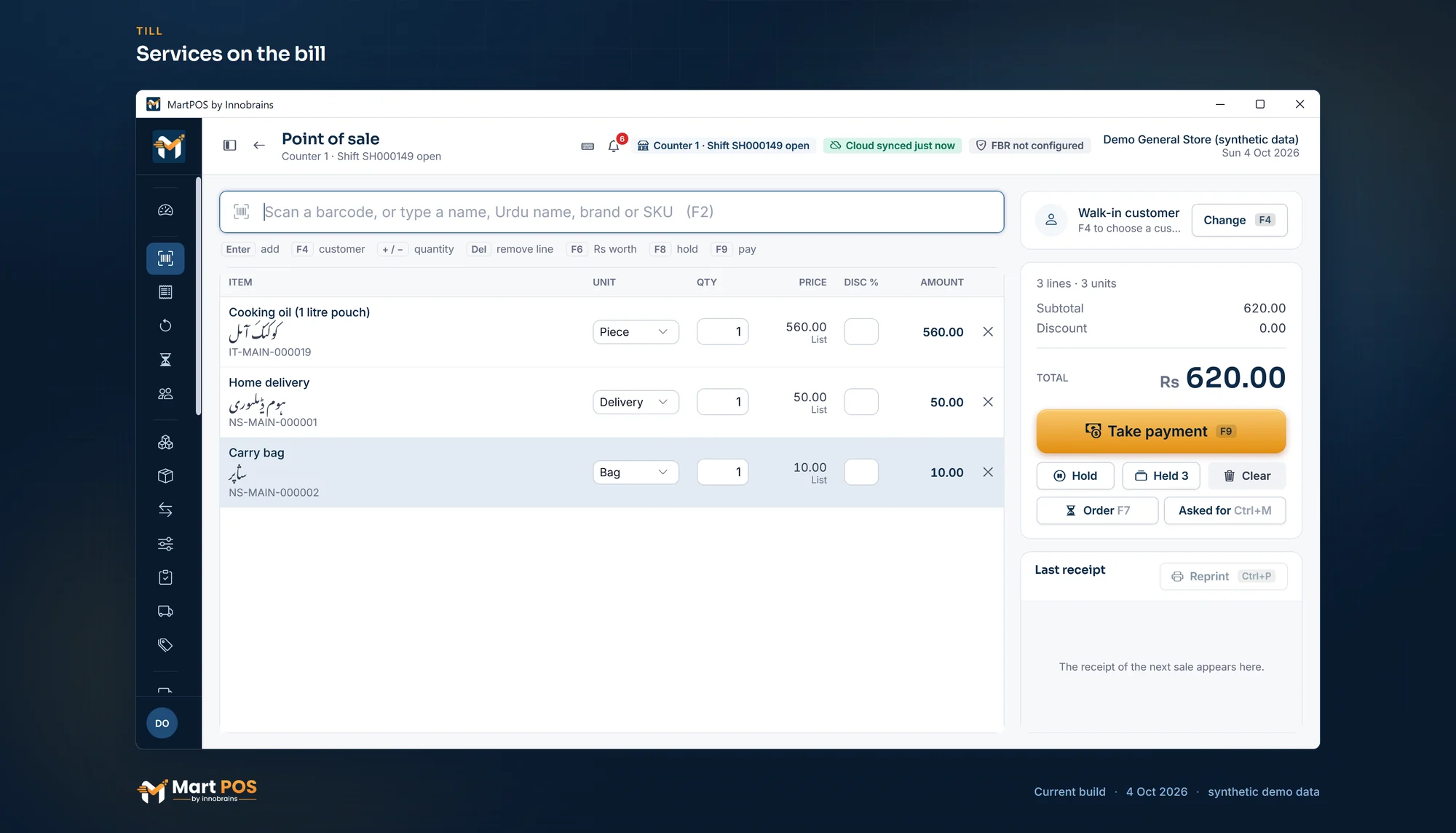 Open the full-size screenshot
 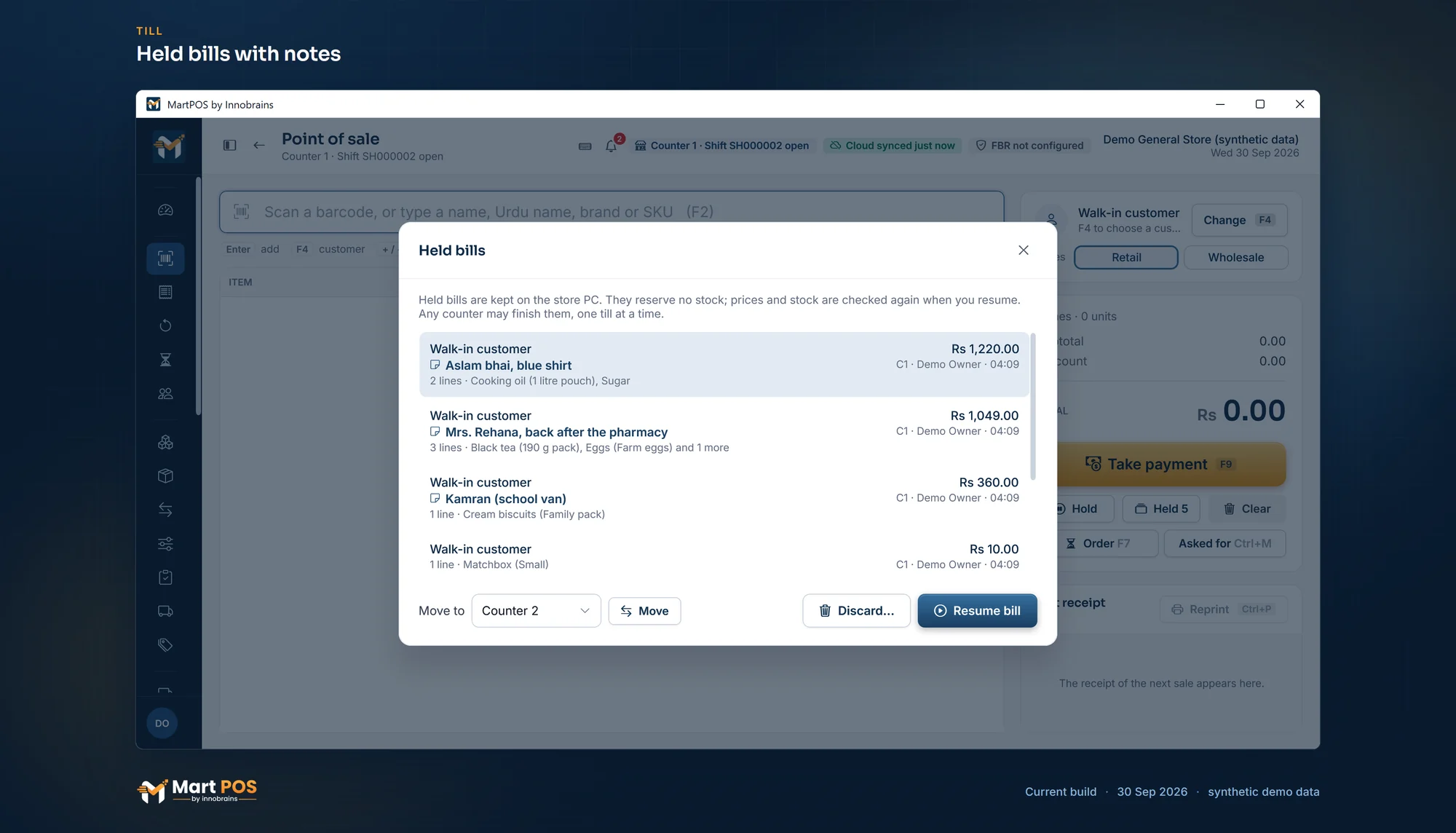 Open the full-size screenshot
 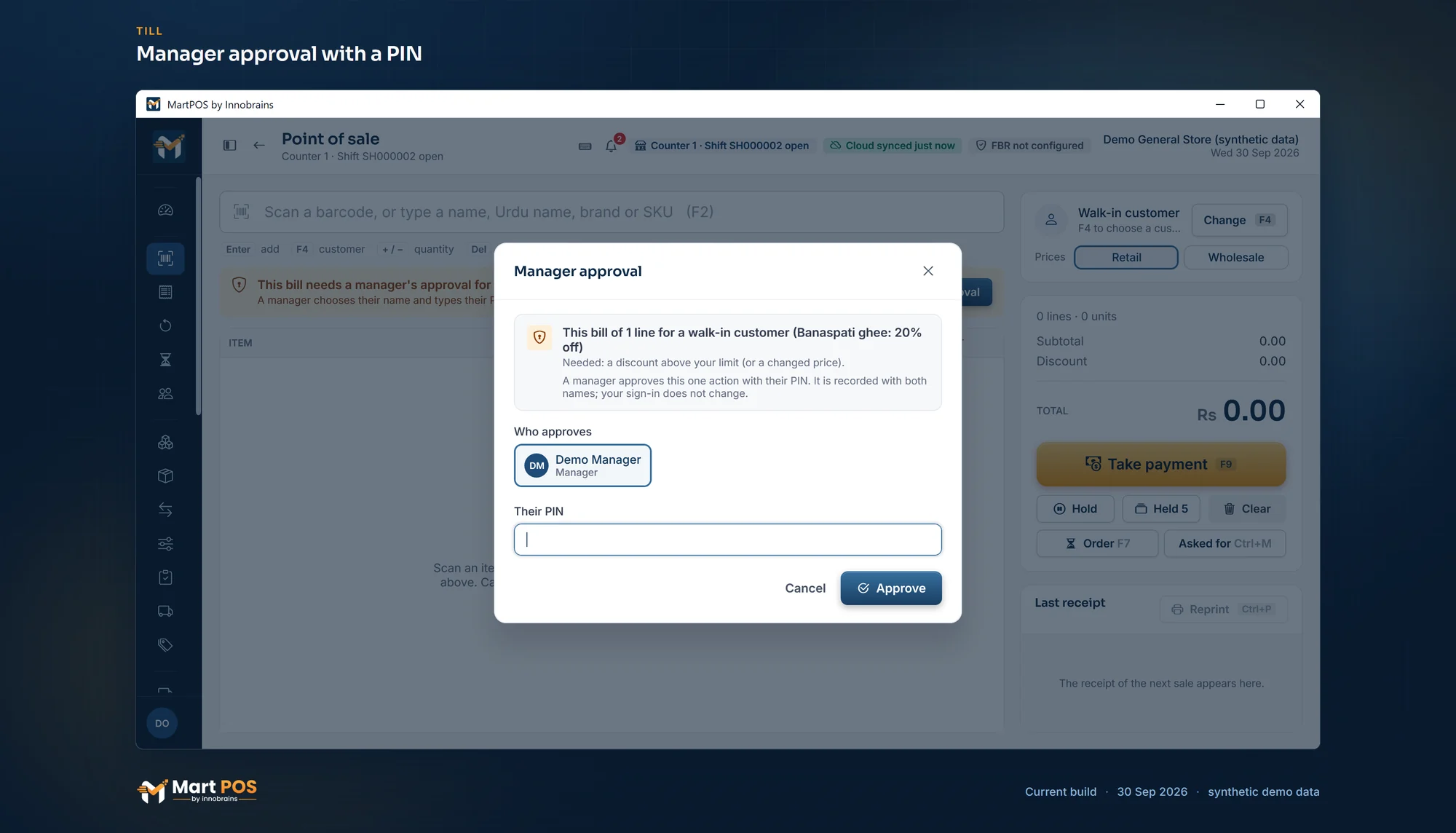 Open the full-size screenshot
 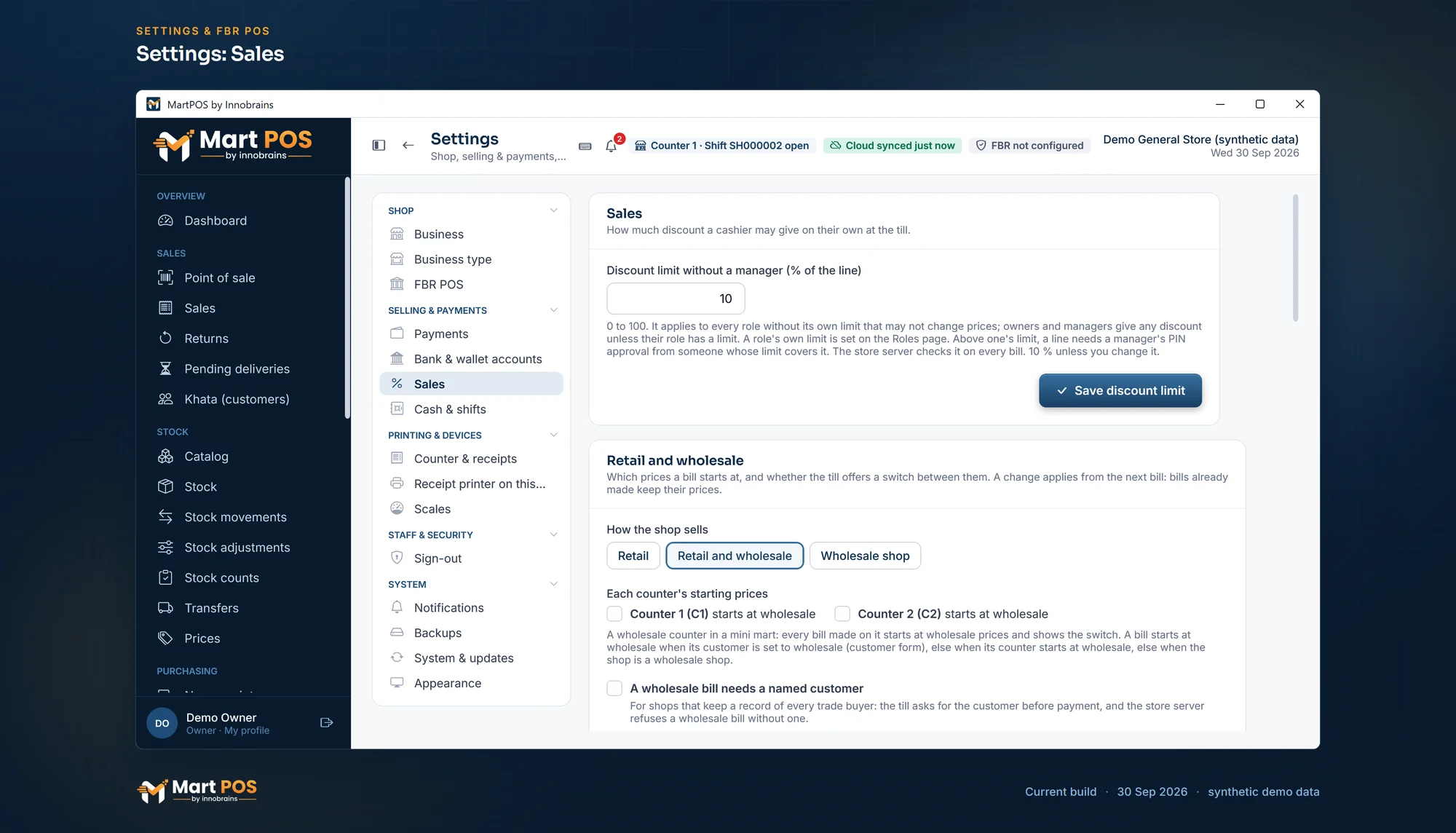 Open the full-size screenshot
  Open the full-size screenshot
  Open the full-size screenshot
 Khata, returns and prices
 Open the full-size screenshot
  Open the full-size screenshot
 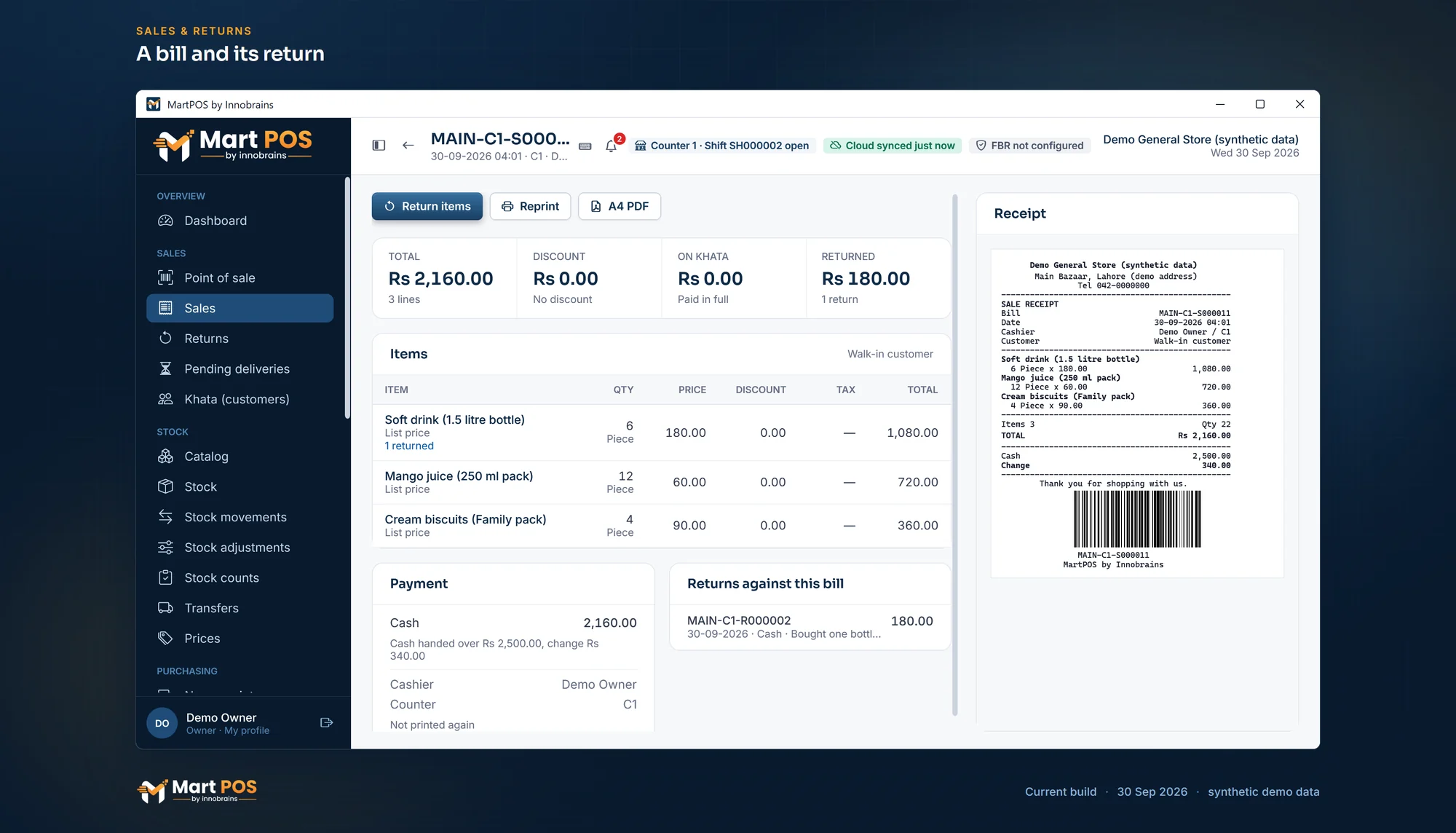 Open the full-size screenshot
 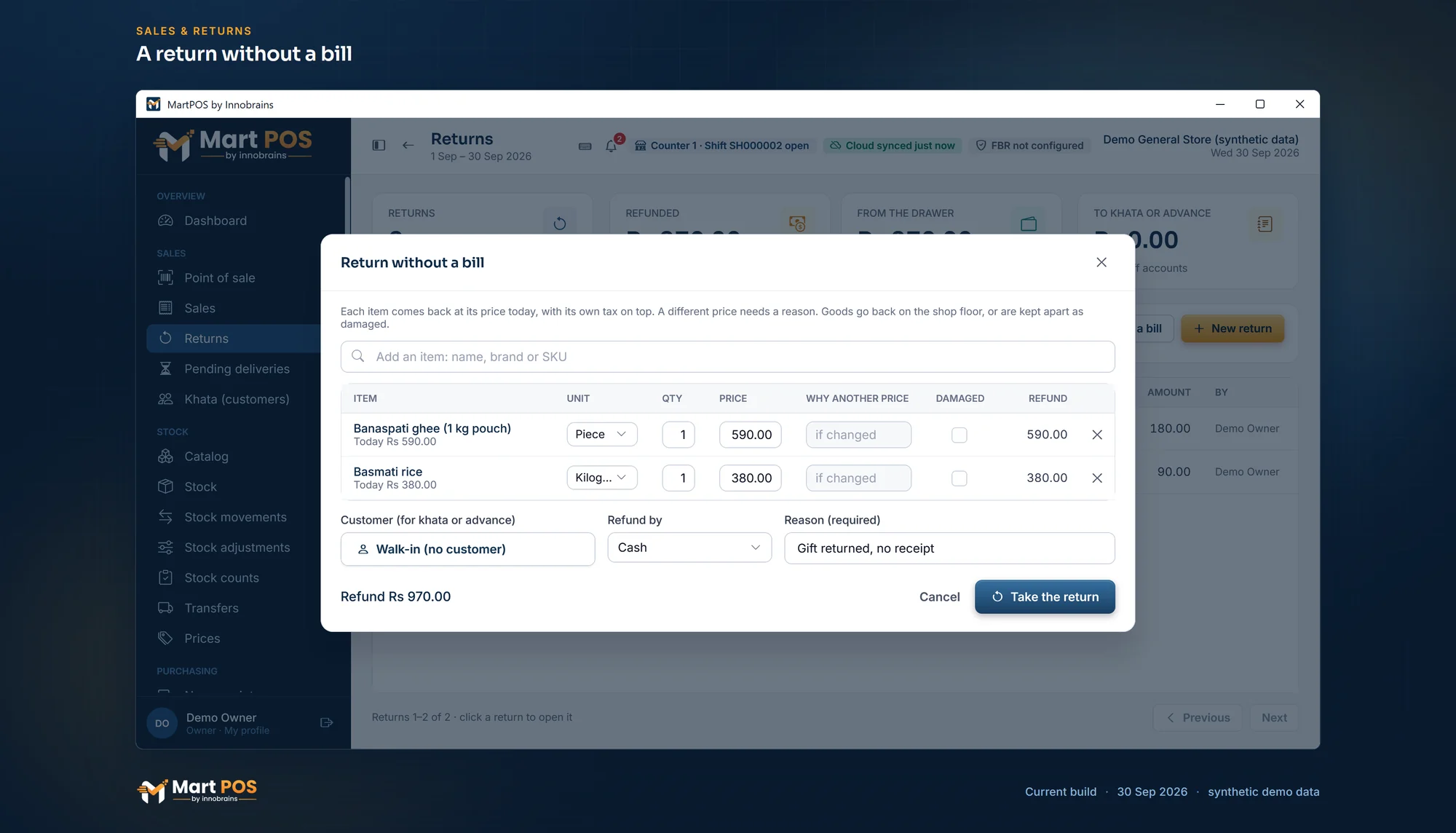 Open the full-size screenshot
 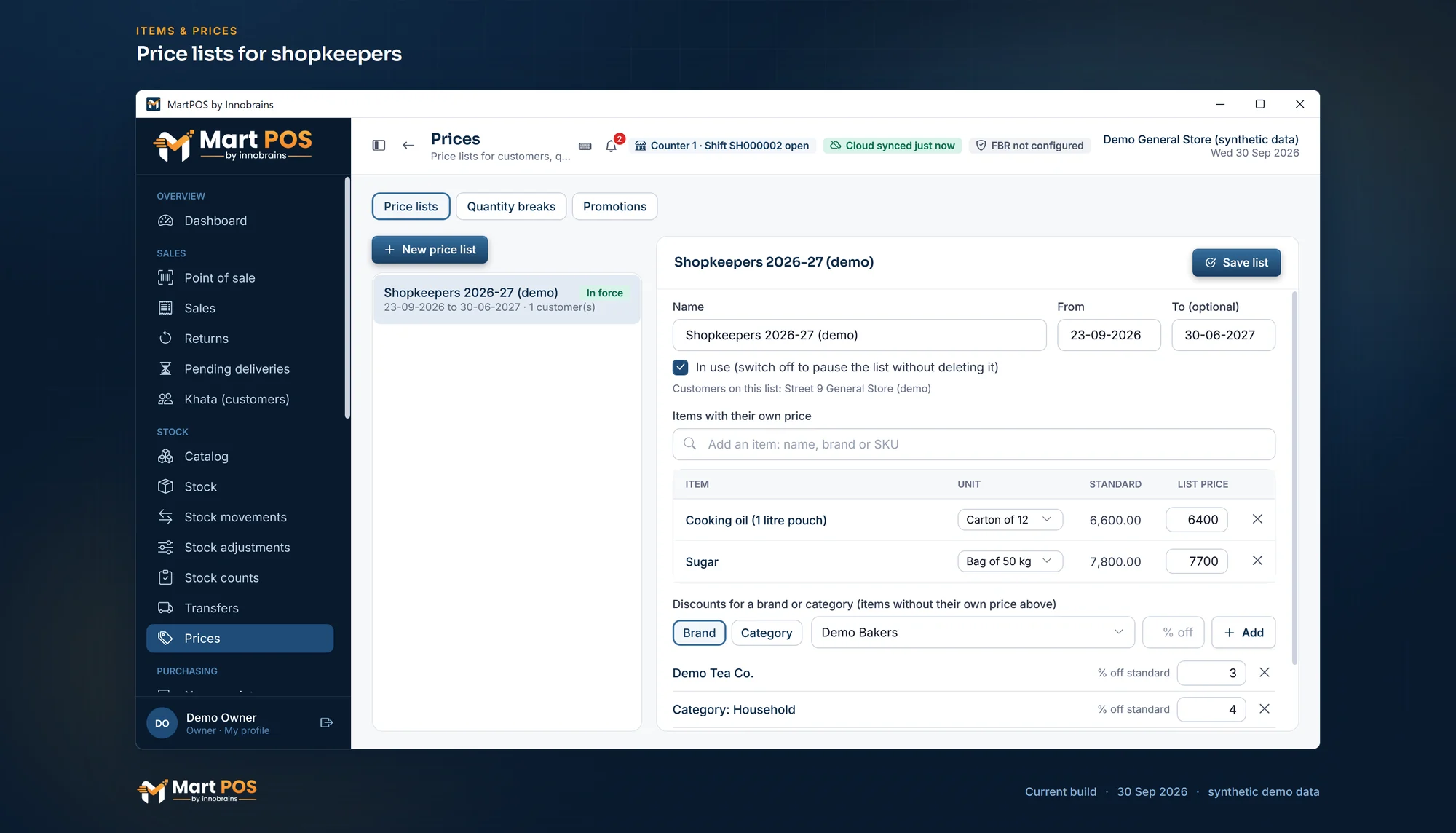 Open the full-size screenshot
 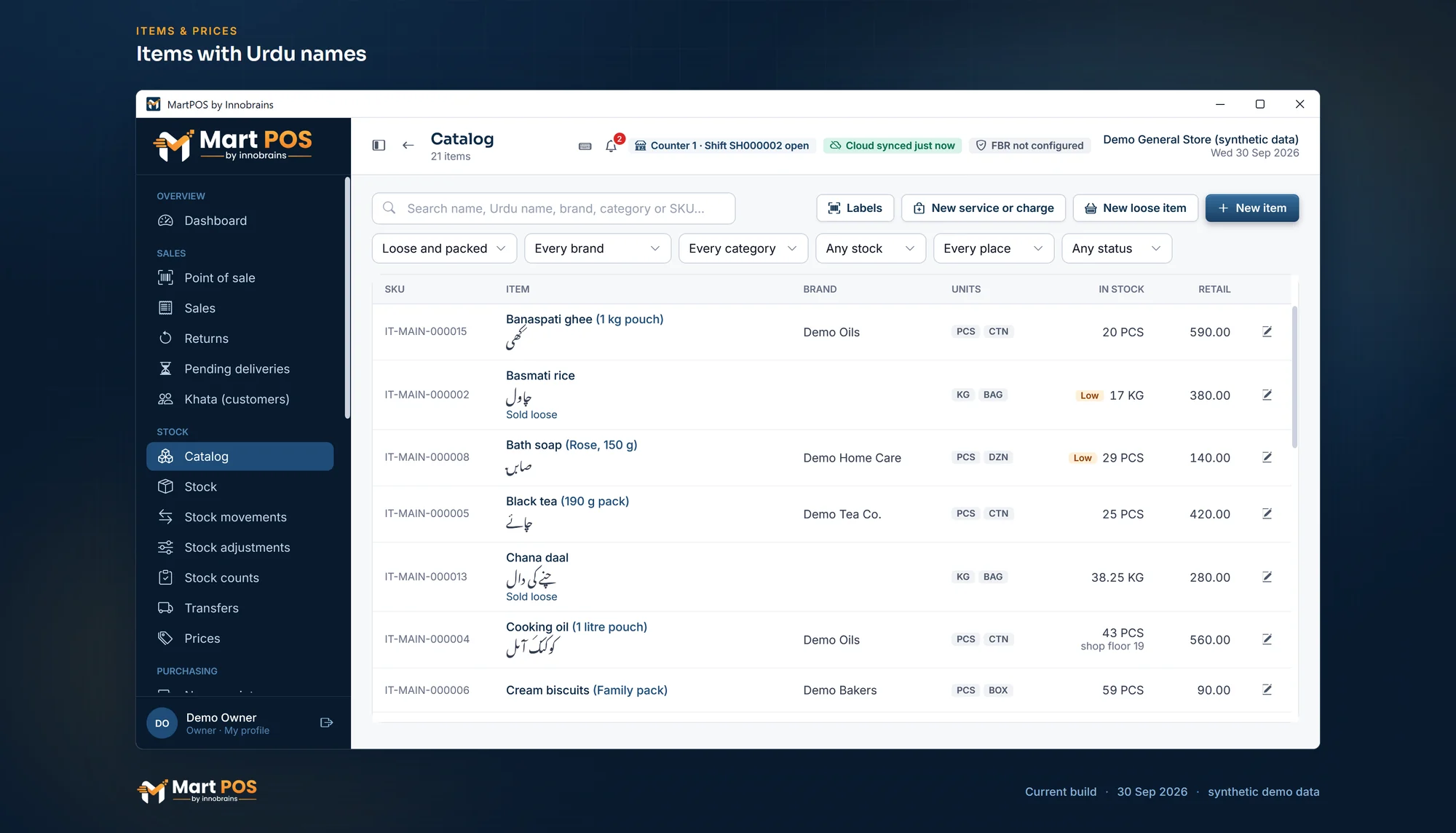 Open the full-size screenshot
 Stock and purchasing
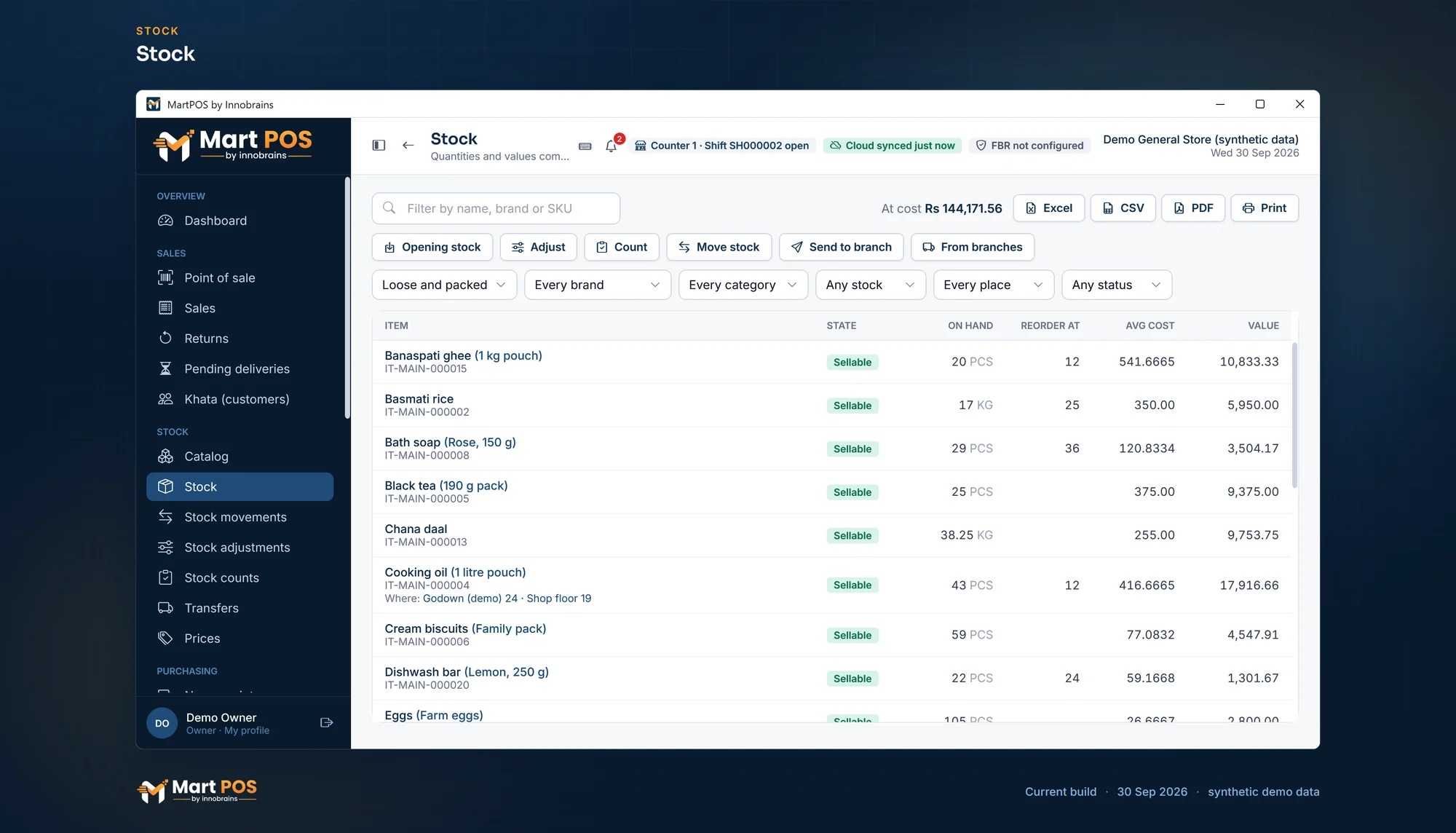 Open the full-size screenshot
 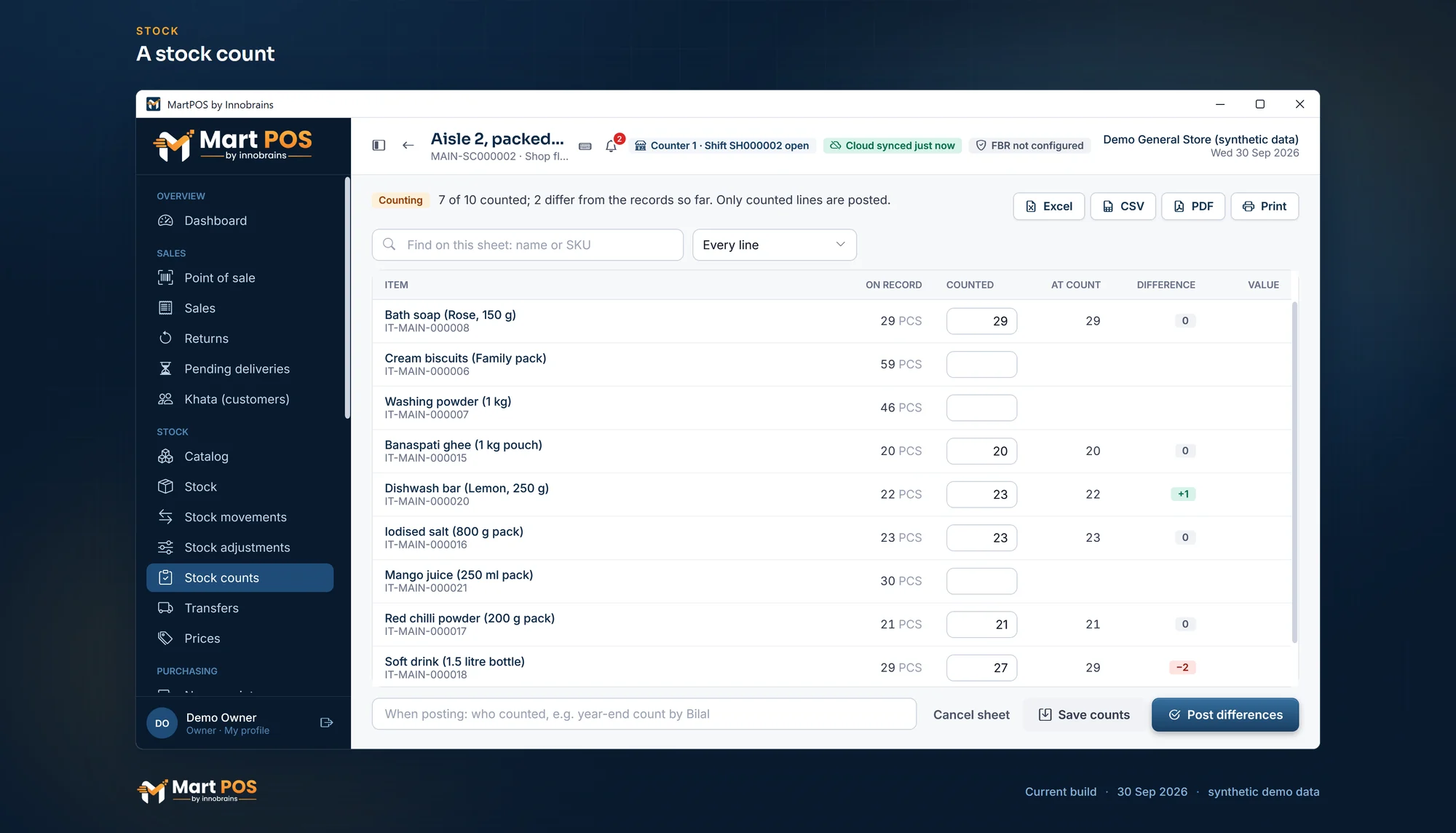 Open the full-size screenshot
 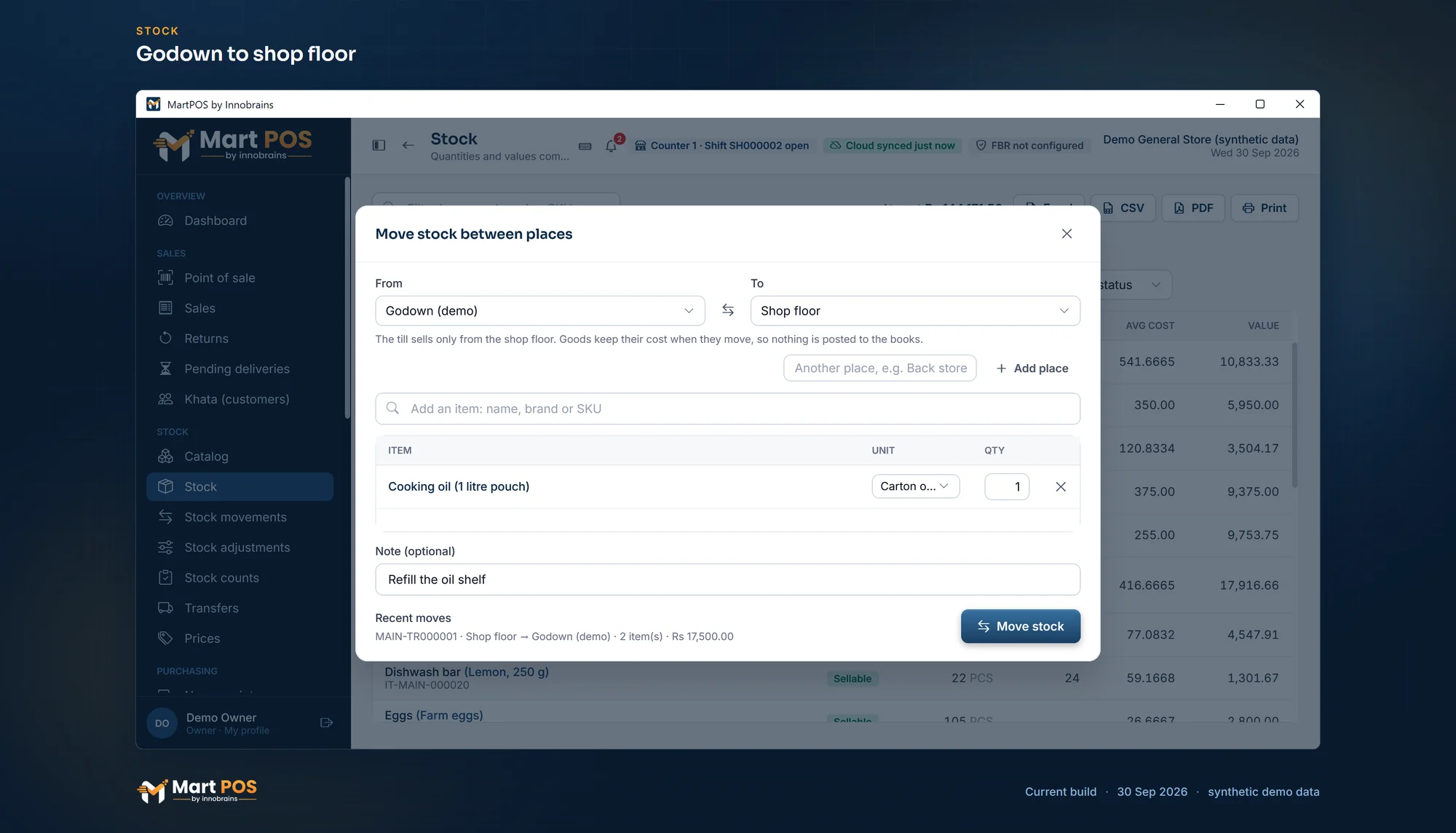 Open the full-size screenshot
 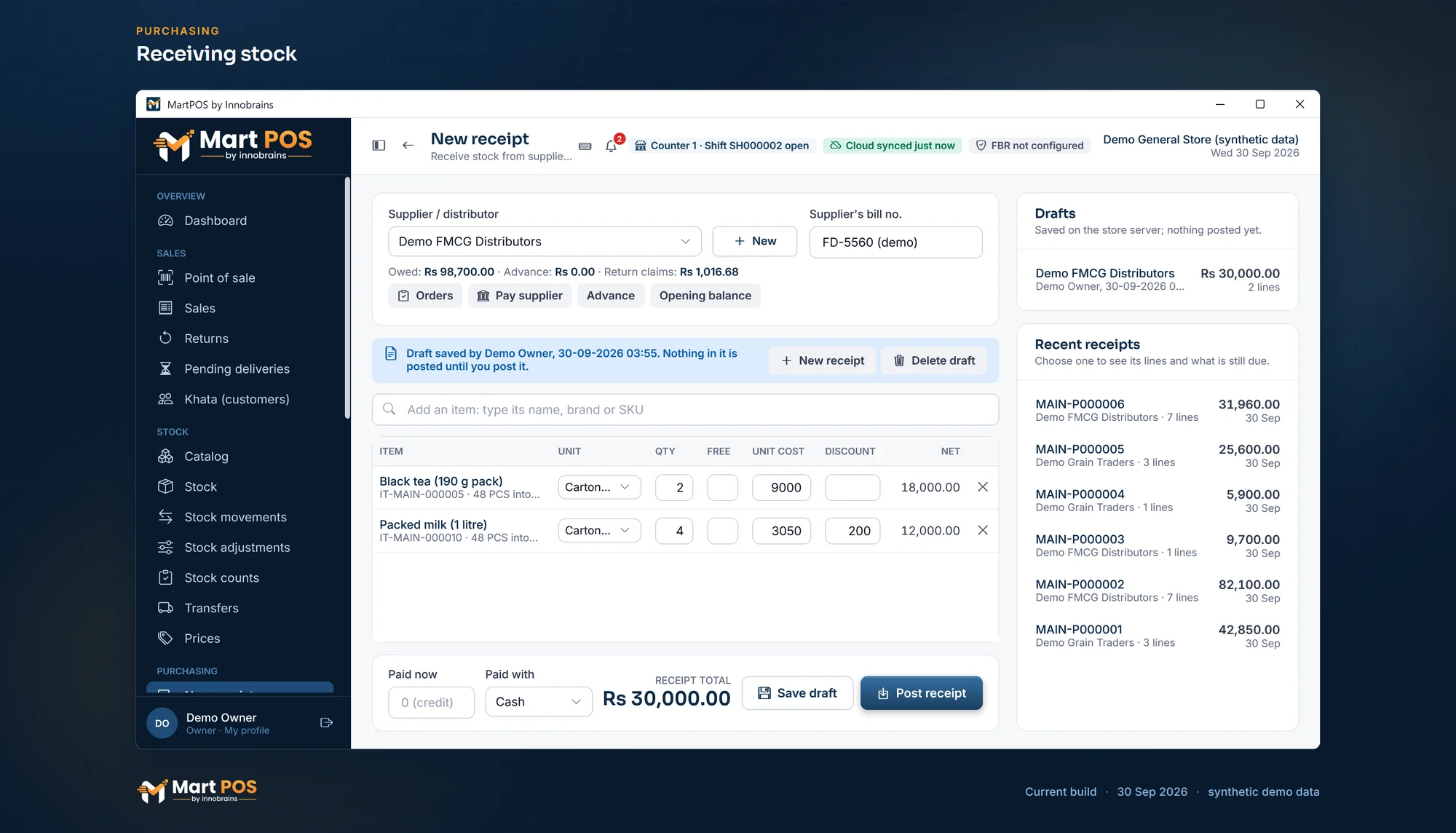 Open the full-size screenshot
  Open the full-size screenshot
  Open the full-size screenshot
 Money and reports
 Open the full-size screenshot
  Open the full-size screenshot
 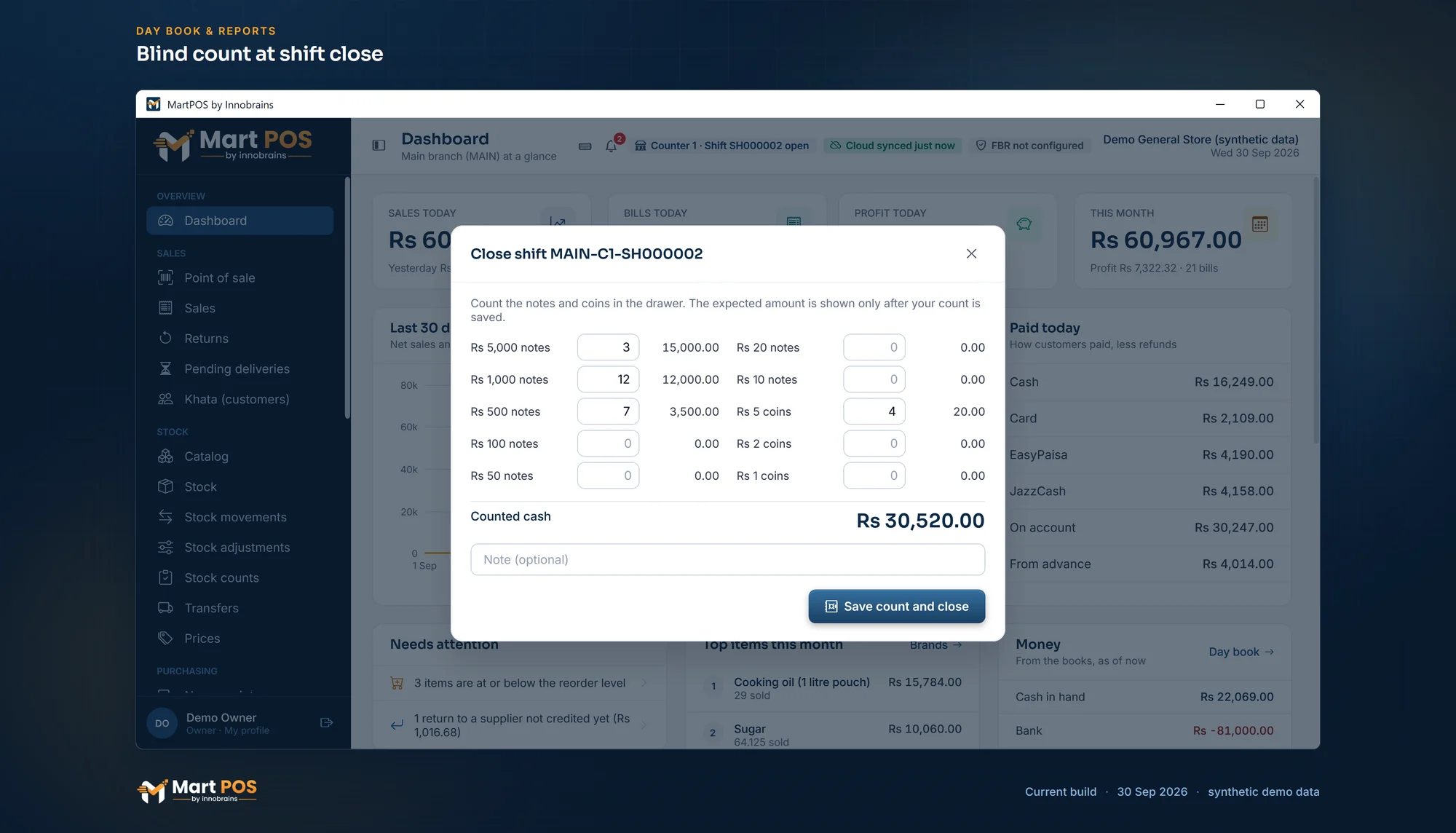 Open the full-size screenshot
 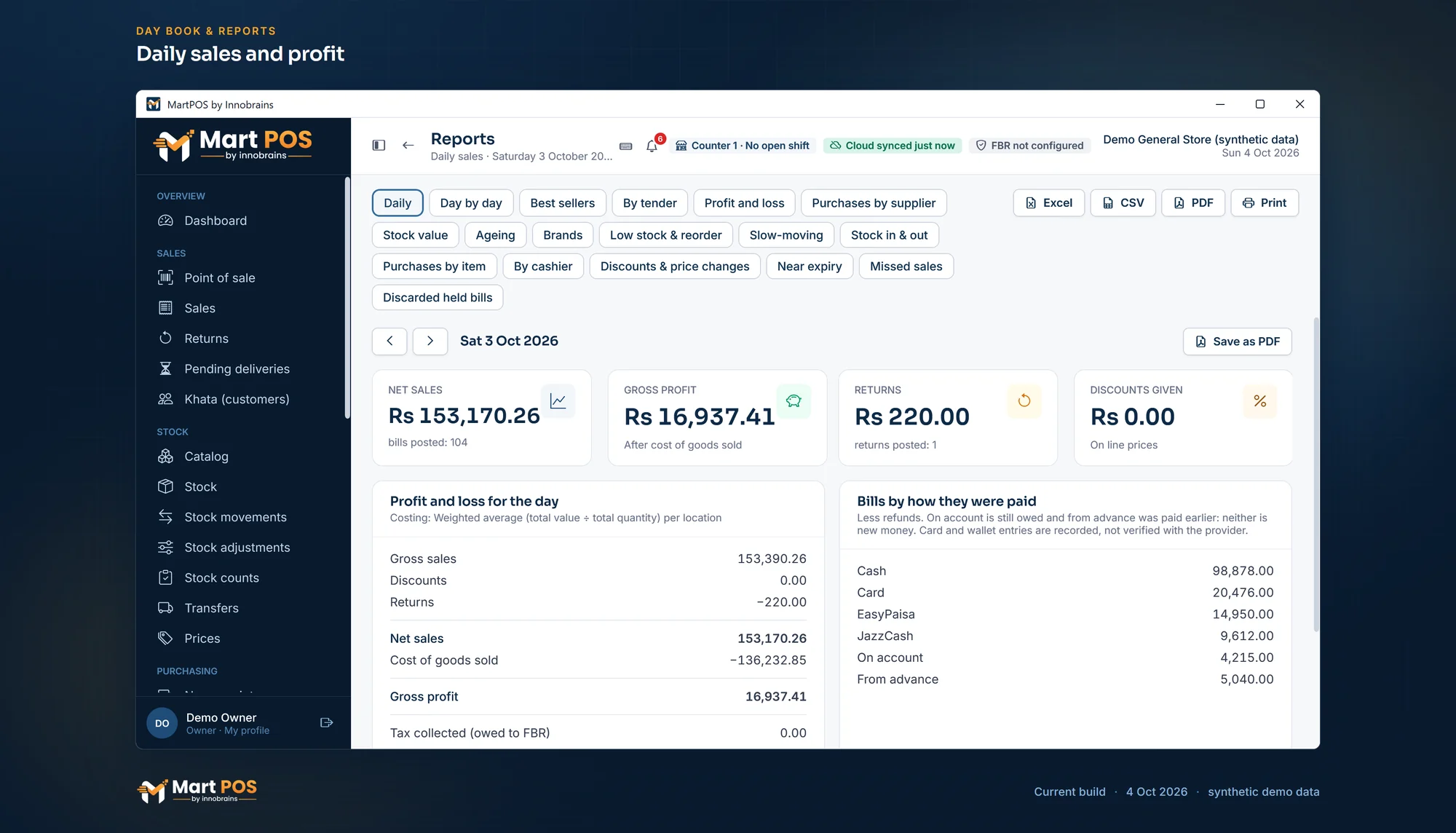 Open the full-size screenshot
 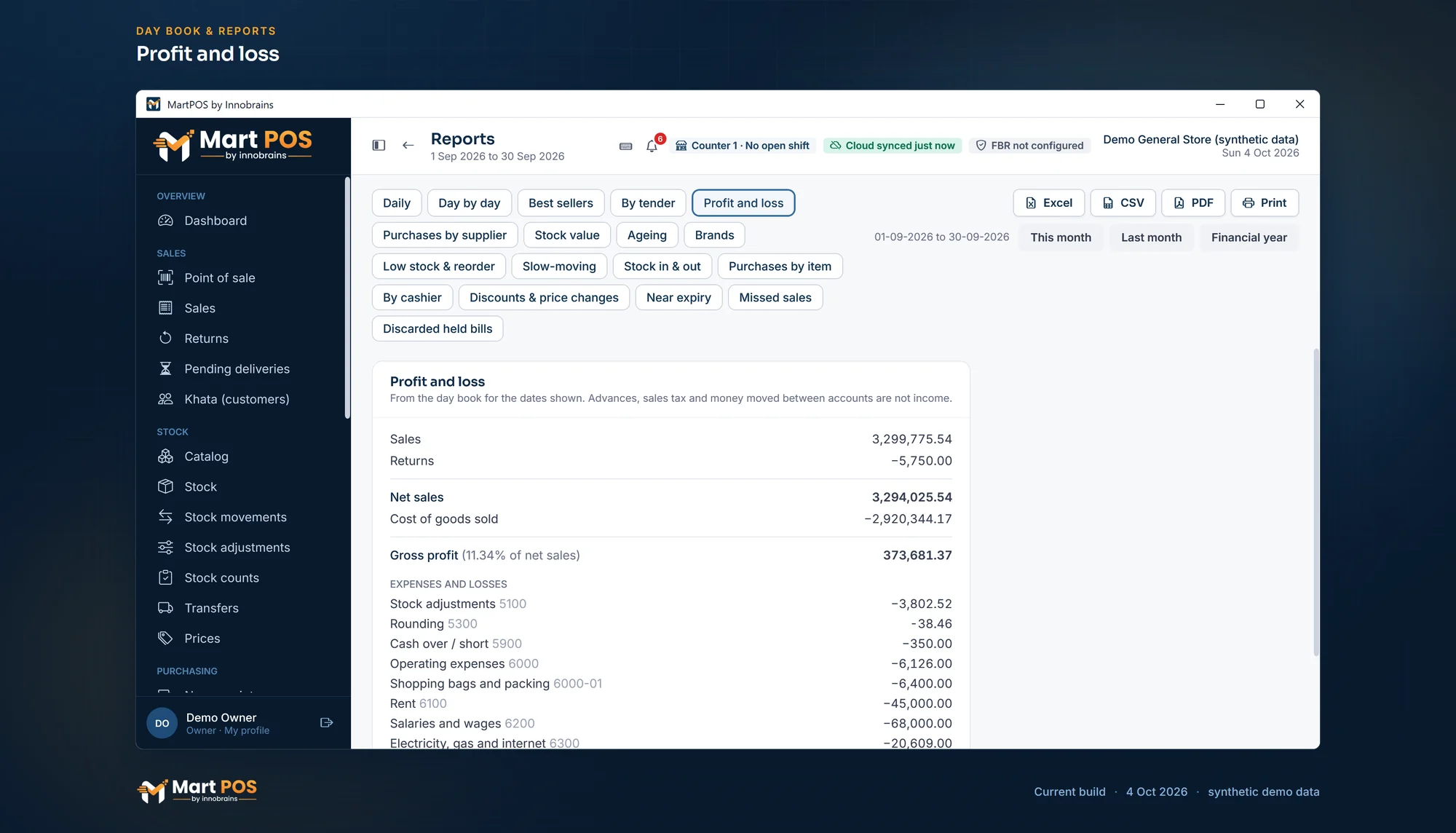 Open the full-size screenshot
 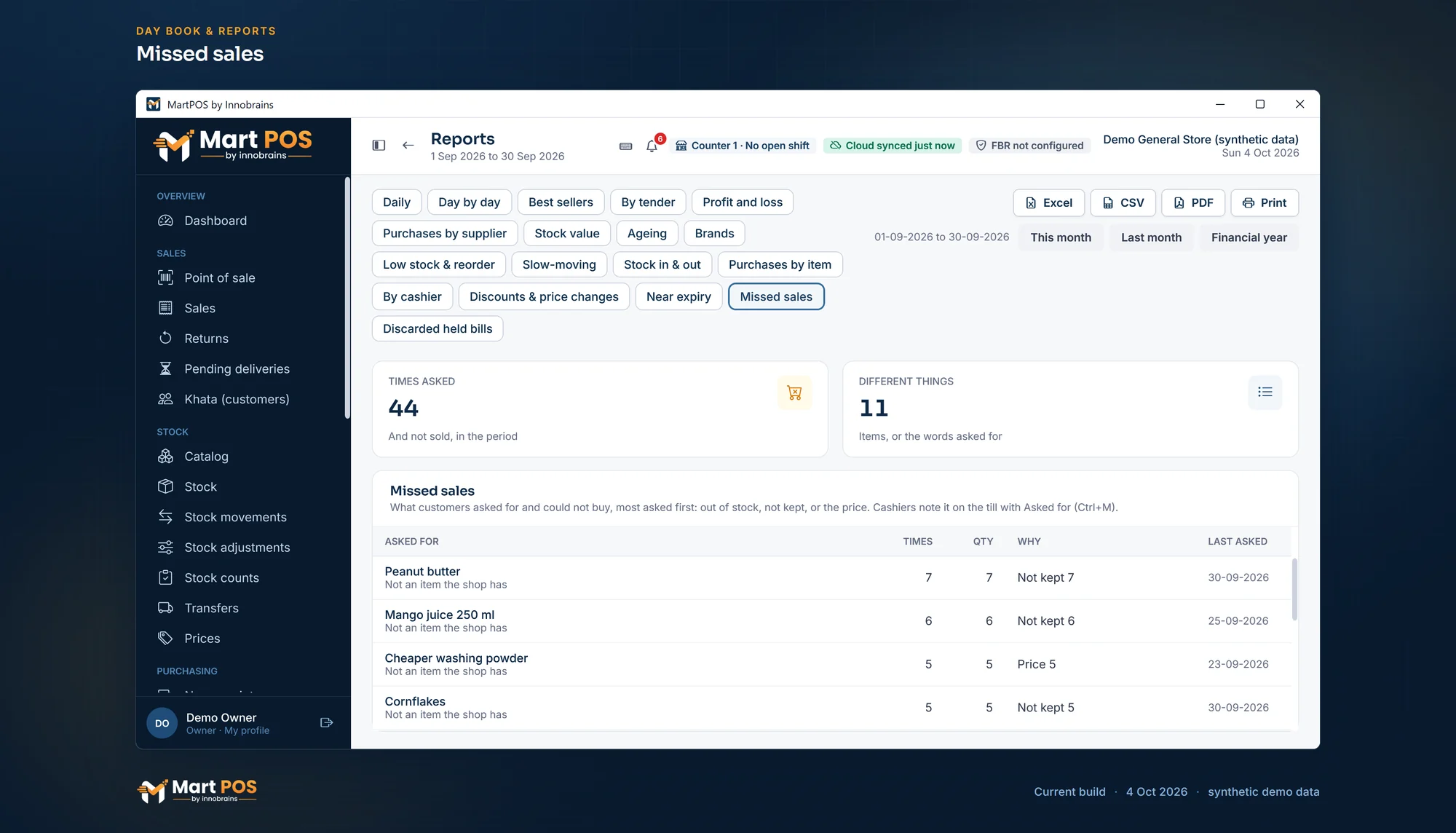 Open the full-size screenshot
 Settings, printing and staff
 Open the full-size screenshot
  Open the full-size screenshot
  Open the full-size screenshot
  Open the full-size screenshot
  Open the full-size screenshot
  Open the full-size screenshot
 Tills, branches, orders and backups
 Open the full-size screenshot
  Open the full-size screenshot
  Open the full-size screenshot
  Open the full-size screenshot
  Open the full-size screenshot
  Open the full-size screenshot
 FBR POS, sync and the owner portal
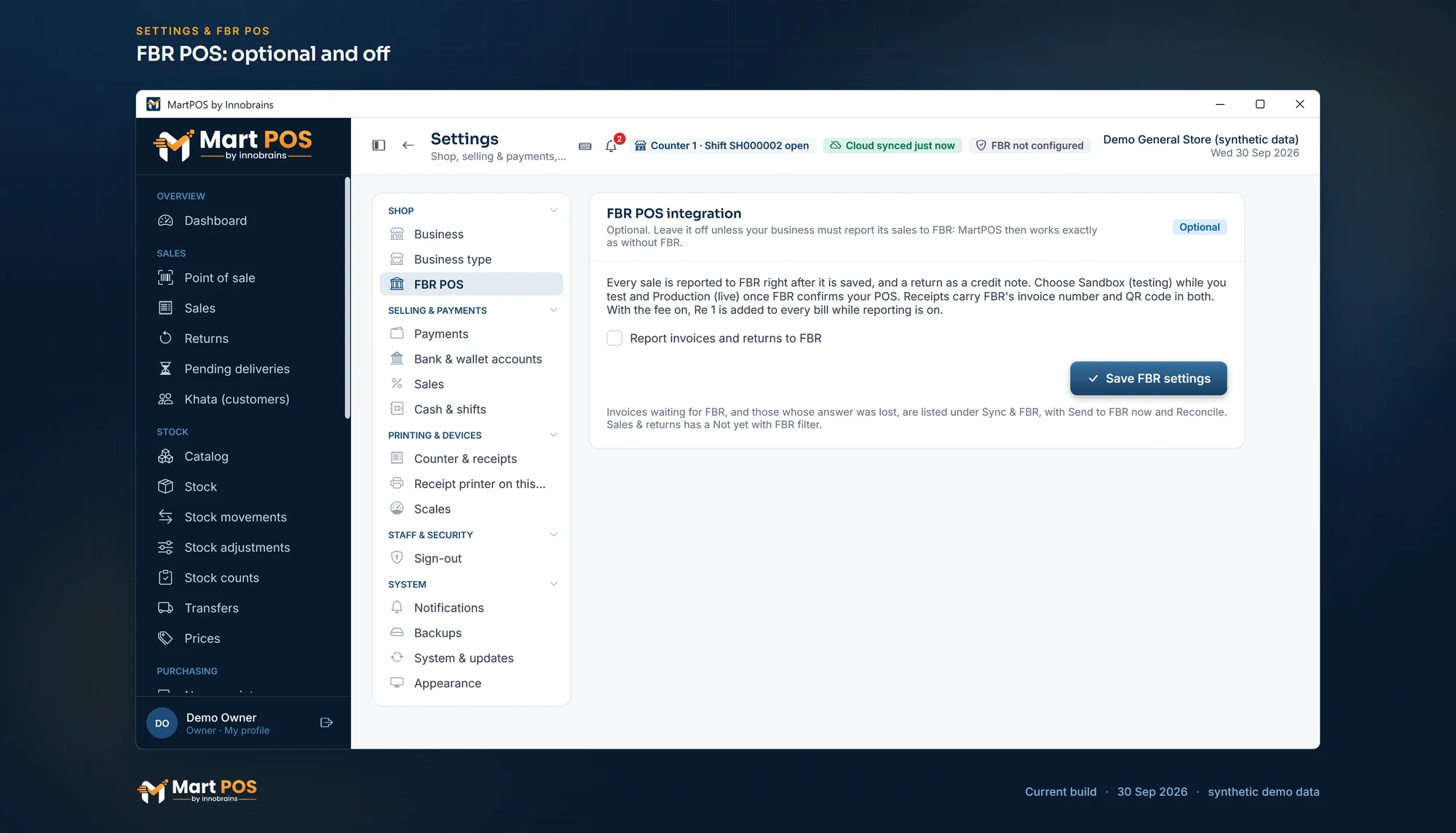 Open the full-size screenshot
 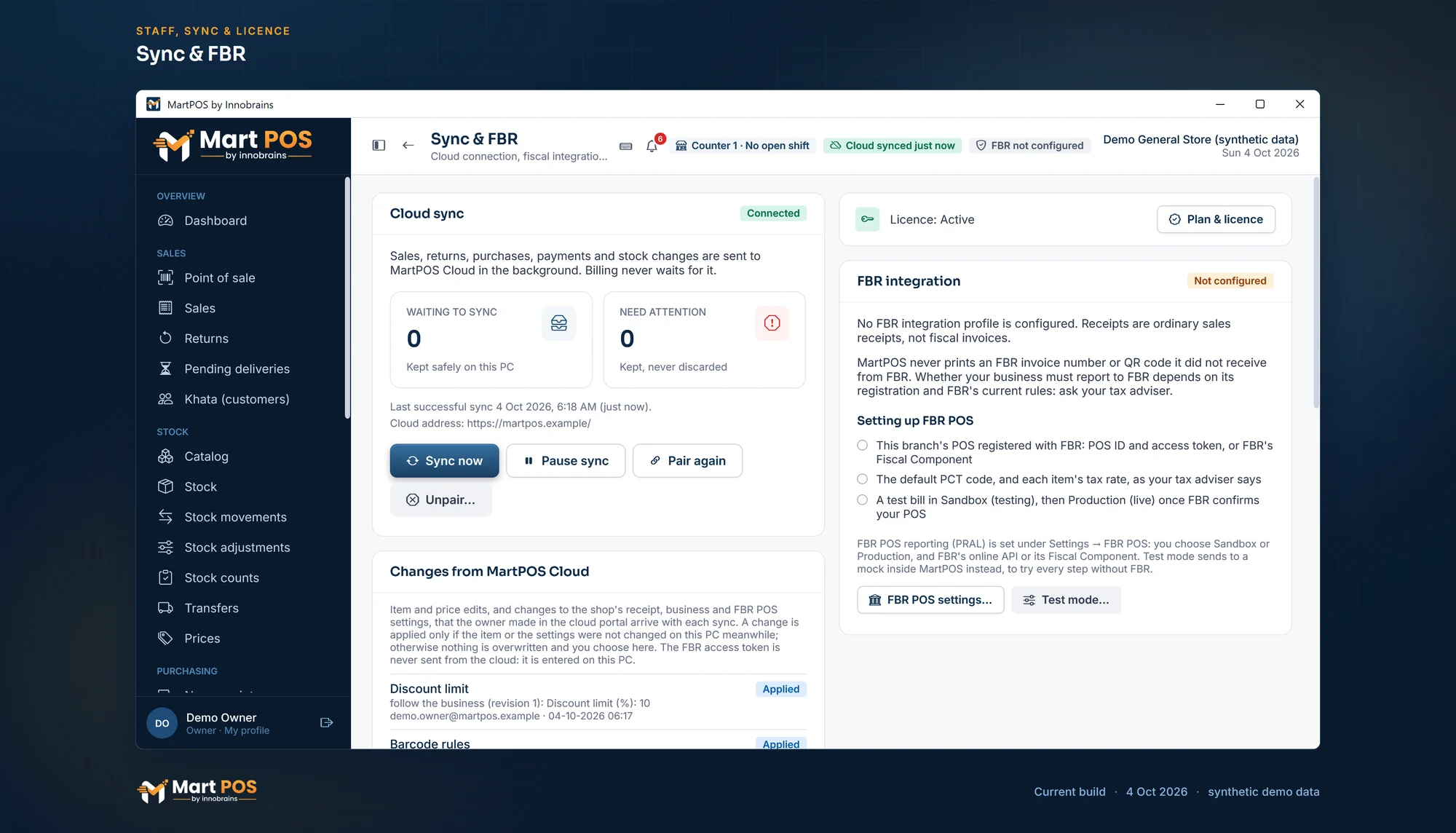 Open the full-size screenshot
 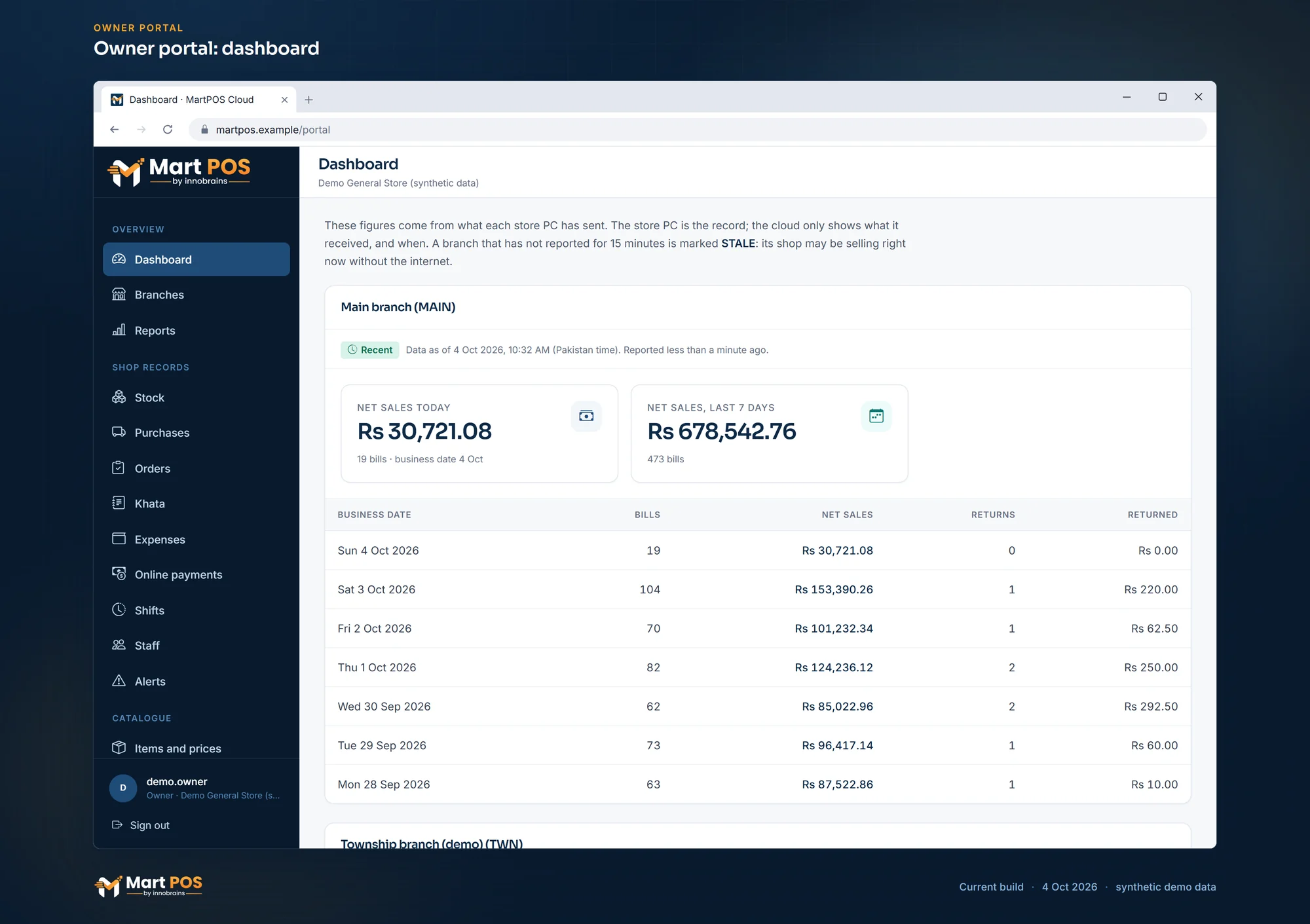 Open the full-size screenshot
 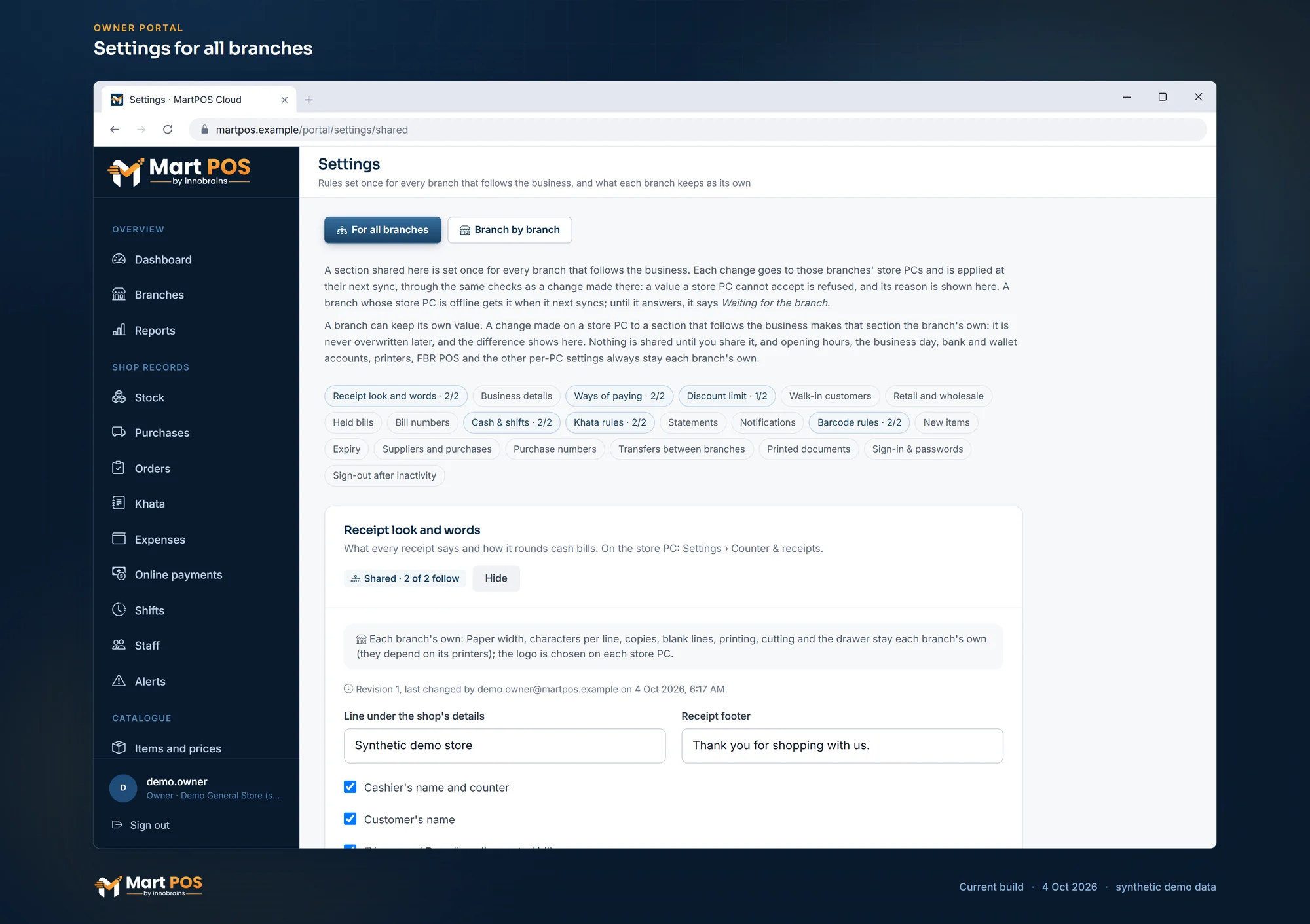 Open the full-size screenshot
  Open the full-size screenshot
  Open the full-size screenshot
 Want to see a screen that is not here? Ask us for a walkthrough.
Frequently asked questions
Yes. An item sold loose keeps its stock in kg or litres with parts, such as 0.625 kg. The cashier types the weight or presses a quick weight (100 g, 250 g, 500 g or 1 kg), or sells by amount: for "Rs 100 of sugar" press F6 and type 100, and the store PC works out the weight to the gram.
Yes, and it is optional. Once you switch it on in Settings, every sale and return is reported to FBR right after the bill is saved, through FBR's online API or FBR's Fiscal Component, and the receipt carries the FBR invoice number and QR code. Until then nothing is sent and no FBR fields appear.
Yes. Each unit has a retail and a wholesale price, and the shop chooses in Settings › Sales how it sells: retail, retail and wholesale with a switch on every bill, or a wholesale shop. An item with no wholesale price is sold at retail, and the line says so.
The screens are in English. Items can have an Urdu name that shows beside the English one in the Noto Nastaliq Urdu font, on screen, in PDFs and in the owner portal, and is searchable. A receipt can print its words in English, Urdu or both, and item names in English, Urdu or both; the A4 invoice and statements can be in Urdu too. Urdu is sent to a thermal printer as a picture, so the printer needs no Urdu font.
Import items (with packs, Urdu names and opening stock), customers and suppliers (with opening balances) from CSV files saved from Excel. Every row is checked before anything is saved.
See it working in your own shop.
Tell us about your shop and we will show you the till and the owner portal, and set MartPOS up on your shop PC with you.