Base units and packs
Stock kept in pieces, kg or litres; packets, cartons and bags counted through their size for that item. A carton of 24 is never taken for a carton of 12.
Stock in the units you buy and sell, moved only by recorded documents, with barcodes checked before they are saved.
A general store's stock is harder than it looks: sugar in the godown by the bag and on the shelf by the kilo, the same biscuit in a packet and a carton, a barcode typed with one digit wrong. MartPOS retail inventory keeps each item's stock in its base unit (a piece, a kilogram, a litre), counts packs through their size, checks every EAN-13, UPC-A and EAN-8 barcode it is given, and changes stock only through movements that are never edited.
When the shelf and the records disagree, a stock count shows the difference line by line and posts only real differences at average cost. Nothing changes stock silently.
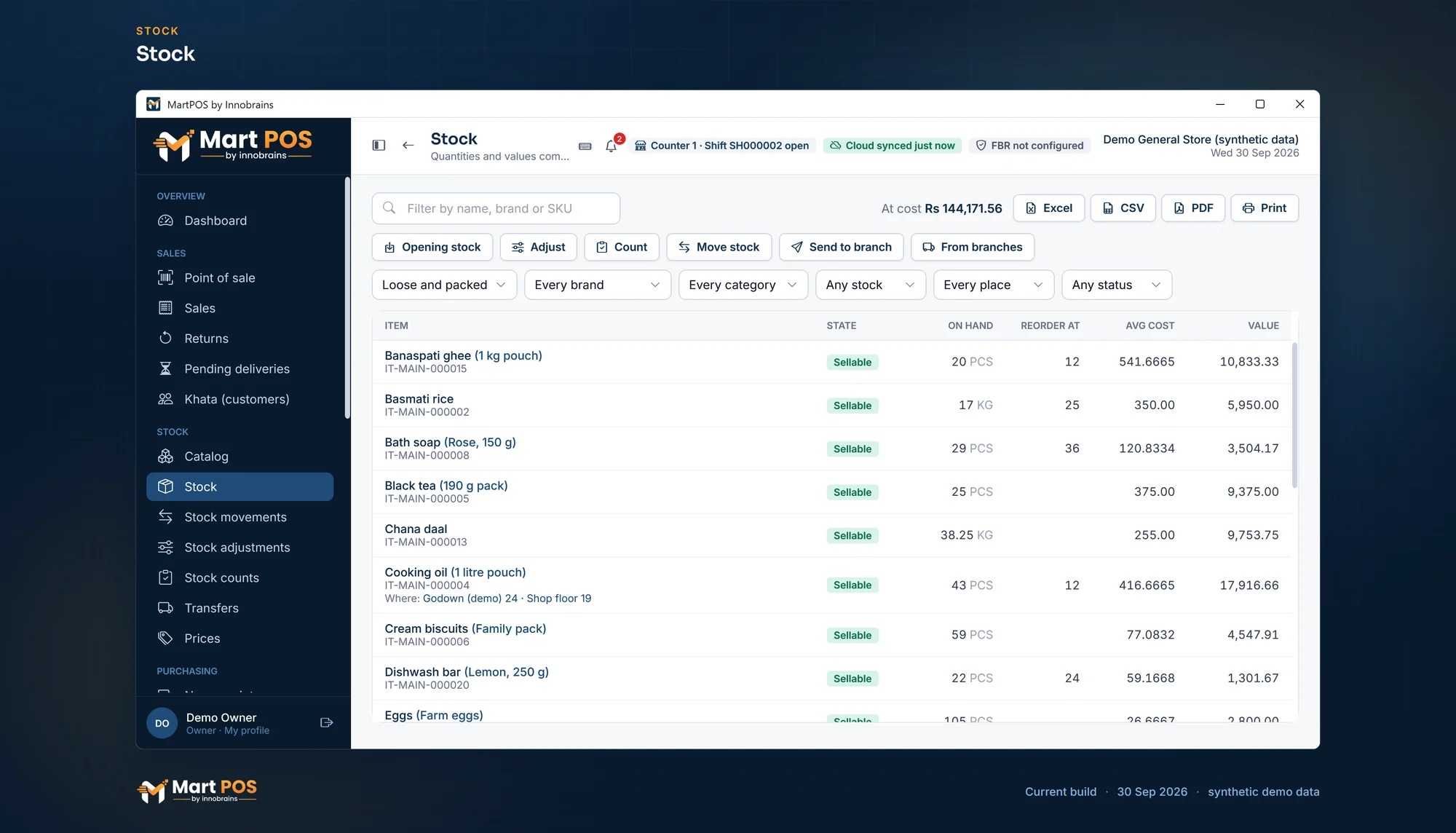 Open the full-size screenshot
 Stock kept in pieces, kg or litres; packets, cartons and bags counted through their size for that item. A carton of 24 is never taken for a carton of 12.
EAN-13, UPC-A and EAN-8 check digits are verified on entry and on import. A wrong one is refused; other codes are kept as your own labels.
Every sale, purchase, return and correction is a movement that is never edited. Negative stock is refused at the moment of sale.
Count a shelf, a category or everything. Each line keeps what the records said when it was counted, so later sales do not look like losses.
Keep stock in a godown or back store and move it to the floor at its cost. The till sells from the floor.
Set a reorder level per item; at or below it, the item shows as low.
Tick "Track expiry dates" on an item and every purchase of it asks for the date on the goods, with its batch number if you want it. Stock is kept in lots by date and batch at each place and sold earliest date first; counts can go lot by lot. Reports › Near expiry lists the lots close to their date or past it, the dashboard warns you, and you choose whether the till sells, warns, asks for a manager or refuses stock past its date.
A shelf label printed with a price that has changed since is listed in Labels and on the dashboard. "Add all to print" puts them back on at today's price.
Freight, loading and other charges on a delivery go into the items' cost, shared by value or by quantity, so stock value and profit count what the goods really cost. A freight bill that comes after the purchase was posted is added to it later: the part for goods still in stock goes into their cost, the part for goods already sold to cost of goods sold.
Your own SKU prefix, in-store EAN-13 barcodes from the 20 to 29 prefixes with their check digit, and duplicate barcodes refused if you choose (Settings › Products).
Weighted-average cost, and stock value by category that equals the inventory account in the books.
Receive against a purchase order delivered in parts; send goods back to a supplier as a claim that their credit note settles.
Import items with packs, Urdu names, opening stock and whether they track expiry from CSV: every row checked before anything is saved.
Tell us what you sell, how many counters and branches you have, and how you keep records today.
We install MartPOS on your main PC with you. There is no public installer yet.
Items, opening stock, customers and suppliers from CSV, every row checked before saving.
Give your staff their own sign-ins and roles, and open the till.
It verifies the check digit. The last digit of an EAN-13, UPC-A or EAN-8 barcode is calculated from the others, so a mistyped digit almost always shows. A wrong code of 13, 12 or 8 digits is refused, and MartPOS never guesses a corrected one. You can try the same check on the home page.
The item gets its own code, and a Code 128 label of it can be printed so it scans at the till. Loose goods can also be found by name, Urdu name or another name.
No. A sale that would take stock below zero is refused when it is posted.
Yes. Each counted line keeps what the records said at that moment, so a packet sold after it was counted does not look missing. Only real differences are posted.
Yes, for the items you choose. Tick "Track expiry dates" on items such as packed milk, bread, yoghurt or biscuits, and every purchase of them asks for the date printed on the goods. Their stock is kept in lots by date (and batch, when you enter one), sold earliest date first, and Reports › Near expiry lists each lot with what is in stock of it; the dashboard warns about stock close to its date or past it. Items you do not tick never ask for a date.
Reports › Low stock & reorder lists the items at or below their reorder level, and those that sold out while still selling, with the last 30 days' sales, a suggested order and whom you last bought each from. The dashboard counts them too.
Tell us about your shop and we will show you the till and the owner portal, and set MartPOS up on your shop PC with you.