Scan or search
Barcode, name, brand, item code, Urdu name or another name customers ask for. Several barcodes per item, each finding the right unit.
Scan or search, bill in the right unit, take payment in any mix of tenders, and never sell stock you do not have.
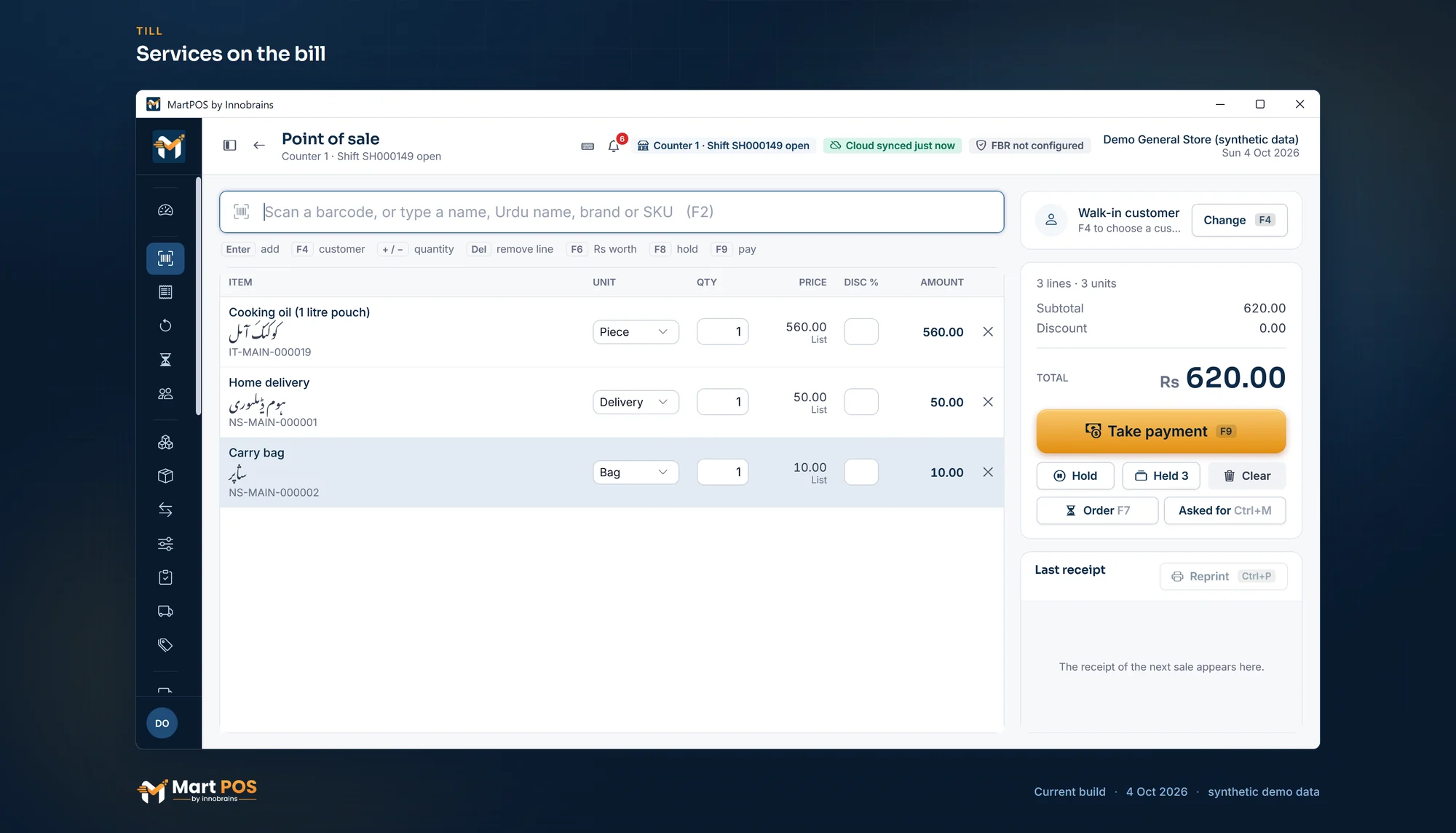
MartPOS is point-of-sale and billing software for general stores in Pakistan. The till is keyboard-first: scan a barcode or type part of a name, a brand, an item code, the Urdu name or another name customers ask for, pick the unit and take payment. A bill can be held (F8) while the customer fetches one more thing, and a bill in progress survives a crash or a power cut.
Behind every sale, stock leaves through a ledger that is never edited, the payment lands in the right account, and a credit sale goes to the customer's udhaar khata within their limit. A sale that would take stock below zero is refused, so two counters can never both sell the last packet. The shop's own PC keeps the records, so the counter keeps billing when the internet is down.
 Open the full-size screenshot
 Barcode, name, brand, item code, Urdu name or another name customers ask for. Several barcodes per item, each finding the right unit.
Each pack has its own price and barcode: scan the carton and a carton is billed, scan the packet and a packet is.
Split one bill across cash, card, bank transfer, EasyPaisa and JazzCash, on khata, or from an advance. Change is worked out.
A line discount above the limit (10% by default) needs the price-override permission; selling below cost needs a manager.
Part of a bill, back to stock or marked damaged. Never more than was sold, even from two counters at once.
Home delivery or a carry bag is billed and refunded like any item, but has no stock and no cost, so it never shows as out of stock.
"Asked for" (Ctrl+M) notes what a customer wanted and did not get: out of stock, not kept, or the price. Reports › Missed sales lists it, most asked first.
A retail and a wholesale price for each unit. Customers set to wholesale pay it; turn on the till's Retail | Wholesale switch if you sell both ways at the counter.
58 and 80 mm thermal receipts with the shop's logo, their words and item names in English, Urdu or both (Urdu printed as an image), and A4 invoices. Each PC chooses its own receipt, label and A4 printer.
A barcode of 13, 12 or 8 digits is checked as EAN-13, UPC-A or EAN-8. A mistyped one is refused, and MartPOS never makes a barcode up.
Owners, managers, cashiers, accountants and warehouse staff each sign in with their own name, and every posting records who made it.
The cashier counts the drawer first, then sees the difference, which is recorded.
Tell us what you sell, how many counters and branches you have, and how you keep records today.
We install MartPOS on your main PC with you. There is no public installer yet.
Items, opening stock, customers and suppliers from CSV, every row checked before saving.
Give your staff their own sign-ins and roles, and open the till.
Yes. The till takes a barcode typed or scanned into its search box, so a scanner that types like a keyboard is the kind it is built for. Each item can have several barcodes, such as the maker's barcode on the packet, the carton barcode and your old labels, and each finds the right item and unit.
A code of 13, 12 or 8 digits is checked as an EAN-13, UPC-A or EAN-8 barcode when an item is saved or imported. If its check digit does not match, MartPOS refuses it and asks for it again. Any other code, such as a supplier's own code, is kept as it is.
Yes. One bill can be split across cash, card, bank transfer, EasyPaisa and JazzCash, put on the customer's khata, or paid from their advance. Card and wallet payments are recorded, not verified with the provider.
No. A line discount above the set limit (10% by default) needs the price-override permission, and selling below cost needs authorisation.
Yes. Add it in Catalog as a service or charge, with its price. It goes on the bill like any item and can be refunded on a return, but it has no stock and no cost, so it is never bought, counted or out of stock.
Yes. Settings › Counter & receipts takes the shop's logo (PNG or JPG, made black and white for thermal paper) and prints the receipt's words in English, Urdu or both, and item names in English, Urdu or both; Urdu goes to a thermal printer as a picture, so the printer needs no Urdu font.
The bill in progress is kept on disk and comes back. A sale retried after an unclear answer is locked to the same command, so it cannot be posted twice.
MartPOS does not. The store PC keeps the shop's records, so billing, returns, purchases and khata payments carry on with no internet, and the changes go to MartPOS Cloud when it is back. Tills on other PCs need the shop network and the store PC, not the internet.
Tell us about your shop and we will show you the till and the owner portal, and set MartPOS up on your shop PC with you.